
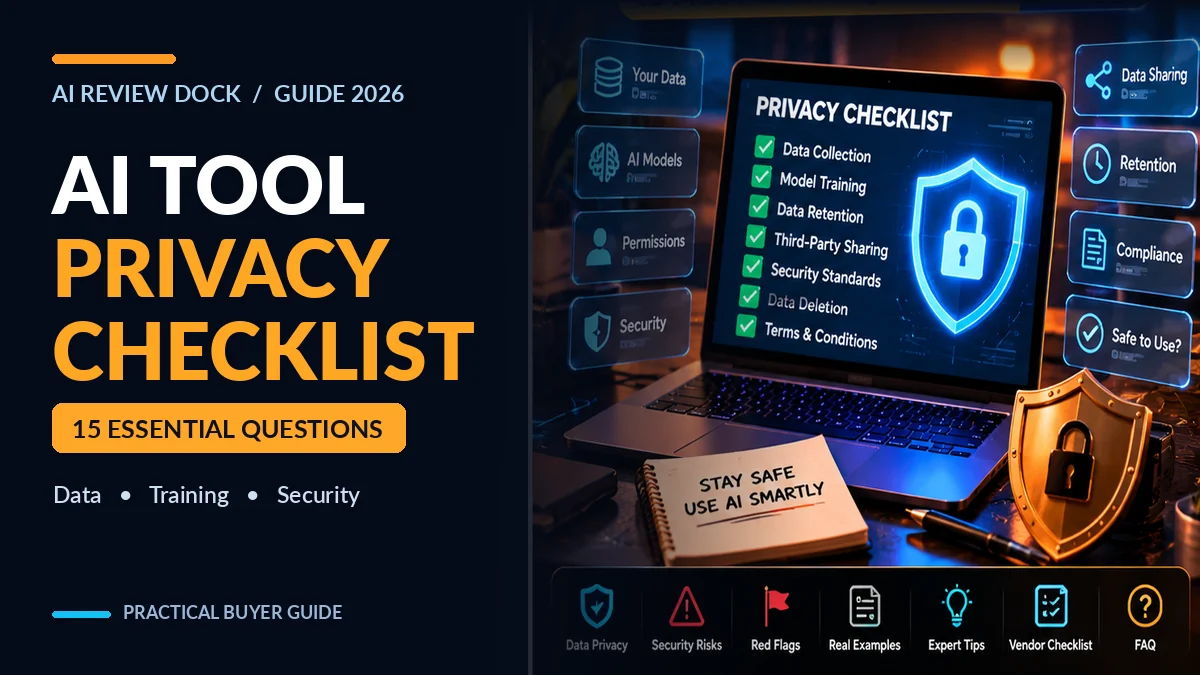
AI tool privacy checklist: Before you connect an AI assistant to your email, upload a client document or buy a lifetime software deal, understand what will happen to your data. A convenient AI feature can introduce risk if a product’s training policy, retention period, access controls or connected-app permissions are unclear.
This practical 15-point AI tool privacy checklist for 2026 helps US freelancers, bloggers, small agencies and growing teams ask the right questions before subscribing to AI software. You’ll find a privacy-policy reading method, vendor scorecard, sample data-classification rules, a safe trial workflow and a list of warning signs that deserve additional verification.
Editorial scope: This guide is general software-purchasing and information-security education, not legal advice or a certification of any individual vendor. Examples, risk tiers and sample scores are editorial tools rather than official regulatory requirements. Verify current product terms and get qualified advice for regulated or sensitive data.
AI Tool Privacy Checklist: What to Check First
Before putting real customer or business data into a new AI app, check five essentials: who processes the data, whether prompts or uploads are used for model training, how long information remains stored, which people and integrations can access it, and whether you can delete or export it when you leave. If a vendor can’t answer those questions, test only with fake or public information.
The US Federal Trade Commission has emphasized the importance of companies honoring privacy and confidentiality promises, including statements made outside the formal privacy policy. The OWASP guidance on sensitive information disclosure also identifies personal, financial and proprietary data as important areas of risk when using language-model applications.
| Question | Why it matters | Proof to seek |
|---|---|---|
| Will my inputs train models? | Impacts confidentiality and reuse | Written plan-specific training/data use policy |
| How long is data stored? | Affects exposure after you finish a task | Retention schedule and deletion procedure |
| Who can access it? | Determines internal and third-party exposure | Subprocessor information, permission model |
| Can I disconnect integrations? | Controls ongoing access to external accounts | Revocation steps and audit trail |
| Can I export or delete? | Matters for migration and accountability | Data export, account closure and backup policy |
15 Questions in the AI Tool Privacy Checklist
1. Who actually operates the product?
Identify the legal entity, support contact, geographic location and relationship between the marketplace seller and the software provider. Some AI products are sold through affiliates or reseller funnels, while the underlying service runs on third-party platforms. A checkout page alone doesn’t tell you who stores your files.
Look for a real business contact, a current privacy policy and terms that consistently identify the service provider. If the policies name a completely different company without explaining the relationship, ask the seller before sending sensitive data.
2. What data does the tool collect?
Read beyond the word “prompts.” A product may process chat history, documents, uploaded images, voice recordings, billing details, usage logs, IP addresses, analytics or connected-app content. Identify which information is necessary for the feature and which is optional.
For example, an AI video generator may need your script and reference images. It usually doesn’t need access to your complete email inbox merely to generate a short video. Limit uploads to the minimum information needed to complete the task.
3. Will the provider use inputs to train or improve models?
Ask whether your inputs, files and outputs may be used for training, quality review or product improvement. Also ask whether the policy differs across free, paid, team, enterprise and API plans. Don’t assume that paying once, choosing “private” in a user interface or removing a public sharing link automatically prevents every form of data retention or training.
Seek clear written terms and an accessible opt-out when applicable. If you cannot confirm the policy, keep private client information out of the service.
4. What is the retention and deletion policy?
Deleting a visible chat may not mean the service immediately removes records from backups, logs, abuse-monitoring systems or third-party processors. Check how long data remains after deletion, what exceptions apply and how users can request removal.
For an agency, include offboarding in your buying decision. You may need to recover project files, revoke integrations and document whether customer data remains with a vendor after a subscription ends.
5. Which subcontractors or AI model providers handle my data?
A branded AI dashboard may send requests to third-party model APIs, image generators, transcription providers or cloud storage services. Ask for the types of subprocessors involved, what data each receives and whether a relevant list or disclosure is available.
Do not infer privacy from a model brand name alone. The contract with the application vendor, its architecture and the type of account or API connection often matter more than marketing descriptions.
6. Where is data stored and processed?
Some organizations have geographic requirements for storage or cross-border transfers. If your workflow involves regulated personal data, ask about processing regions, international transfers and contractual arrangements rather than assuming a familiar US-facing website always processes data in the United States.
Regional controls are not a universal feature. Verify what your exact plan allows and consult qualified counsel where cross-border obligations apply.
7. Does the vendor encrypt data in transit and at rest?
Look for concrete technical statements about transport security and stored data protection. A page using HTTPS is a starting point, not proof of the entire provider’s security posture. Ask whether uploaded files, backups and internal storage receive appropriate protection.
Also determine whether administrators can access customer content and under what conditions. Broad “bank-level security” headlines are not a substitute for meaningful documentation.
8. Does the account support secure sign-in and roles?
For a team, multi-factor authentication, account recovery controls, role separation and appropriate session handling are useful safeguards. A freelancer may initially use one account, but a growing company should avoid sharing a single password with everyone.
Check whether you can create restricted users who draft content without changing billing or security settings. If your team uses single sign-on, confirm whether the relevant tier includes it.
9. What permissions do connected apps request?
If you plan to connect a personal assistant to calendars, files or other accounts, read the personal AI assistant setup guide for practical examples of minimum permissions and human review.
Many AI assistants connect to Gmail, calendars, documents, cloud drives, WordPress or project management tools. Review whether the connection is read-only, can send or delete, or receives access to an entire workspace. Granting “all files” access to draft one blog post is usually excessive.
Prefer narrowly scoped permissions, separate test accounts and a documented disconnect process. A tool with permission to send an email or delete a post should require more scrutiny than a tool that only summarizes a publicly available document.
10. Can you review and approve important AI actions?
An agent may use connected tools to create invoices, publish content or modify customer records. Ask whether it can propose changes for approval, enforce spending limits and stop automatically when confidence is low or a tool response is unexpected.
This question is especially relevant to our educational AI agents vs workflow automation guide. The more authority a system has, the stronger its permission and approval controls should be.
11. How are prompt injection and malicious files handled?
An AI system that reads untrusted webpages or documents may encounter instructions that tell it to ignore a task or expose information. OWASP’s Top 10 risks for LLM applications includes prompt injection and sensitive information disclosure among important issues.
Ask how the vendor separates external content from trusted instructions, restricts tool execution and prevents accidental disclosure through outputs. No protection is perfect; the critical issue is whether the software uses layered controls and can contain failures.
12. Can the system expose information through shared links?
Some tools make conversations, generated media or workspaces shareable with a URL. Test whether sharing is private by default, whether links can be revoked and whether recipients can see uploaded files or other project information. Never rely on an obscure URL as the only access control for confidential records.
If the software embeds chatbots on your website, verify what visitors can retrieve from connected knowledge sources. A public assistant should not answer questions using confidential internal notes.
13. Does the vendor provide useful audit logs?
For workflows touching business information, logs should make it possible to determine who accessed data, when an integration ran, what action occurred and how to investigate an error. Logs themselves also require privacy protection and sensible retention.
Before buying, ask whether these capabilities exist in your specific plan and whether you can export records after canceling your subscription.
14. What evidence supports its security claims?
Security badges and compliance logos can be useful leads, but don’t treat a promotional graphic as proof. Ask for the scope, date and issuer of any certification or independent assessment. A report covering one hosting environment may not cover every product, feature or subcontractor.
The NIST AI Risk Management Framework provides a voluntary approach for organizations to govern, map, measure and manage AI risks. The framework is not a certification that a vendor passes simply by mentioning it.
15. How will you exit the service safely?
Plan for cancellation before you upload important assets. Ask how to download outputs, recover project files, revoke account tokens, terminate team access, request deletion and document what happens to backups. Understand any limitations on transferring data to another tool.
For media creators, exported MP4 files may be easy to keep, while editable timelines, prompts or project metadata can be much harder to move. Our AI Long Video Creator review raises similar questions about video-project portability and plan limits.
What Data Should You Avoid Uploading to a New AI Tool?
Even a reputable vendor does not need every piece of information you possess. Classify the material before uploading it and apply the most restrictive practical approach for sensitive categories.
| Data category | Example | Practical starting rule |
|---|---|---|
| Public | Published blog post, openly licensed research | Generally suitable for low-risk evaluation, subject to rights |
| Internal | Unpublished product outline, routine planning document | Use an approved business tool after checking terms |
| Confidential | Client proposal, unpublished revenue figures, customer list | Require documented provider approval and minimal disclosure |
| Highly sensitive | Passwords, API secrets, private health or payment data | Do not enter into an unapproved tool; use specialized controls |
For a blog-writing test, invent a fictional sample client and fictional order details rather than uploading a real customer’s name and invoice. If you need to evaluate extraction accuracy, use sanitized samples and explain their limitations in the test notes.
Data classification is one part of protecting privacy. Also consider the consequences of unexpected output: a model could include a confidential number in an email draft even if it never deliberately “leaked” a database.
A Practical 20-Minute Vendor Privacy Review
You can perform a useful first-pass review without hiring a large security team. This is an editorial screening process, not a full audit.
- Minutes 1–4: Open the privacy policy and terms; identify the actual company and date updated.
- Minutes 5–8: Search for training, retention, deletion, third-party processors and data sharing.
- Minutes 9–12: Inspect account security and connected-app permission screens without granting access yet.
- Minutes 13–16: Ask support one specific question that the documentation does not resolve.
- Minutes 17–20: Record unresolved issues, assign a risk level and decide whether a sanitized trial is appropriate.
If terms are unclear, that is a finding, not a reason to assume the most favorable answer. Keep screenshots or PDFs of the published terms you reviewed and record the date.
Example: Testing an AI Writing Tool Without Client Data
Imagine a small agency wants software to draft 10 blog outlines a month. The agency has sensitive customer data in its CRM, but the outlines themselves don’t require access to that CRM. The safe first experiment uses a fictitious business called “Harbor Street Studio,” an invented audience persona and public documentation.
The team checks the policy, creates a limited test account, submits the fictional brief and records whether the output includes accurate citations. Next, it tests sharing and deletion controls. Only after a satisfactory review would the company consider connecting an approved repository—and even then, it would restrict access to the relevant folder.
Notice that this process tests functionality without exposing customer emails or contracts. A privacy-aware workflow can also improve efficiency because a narrow, well-structured brief often produces clearer outputs than a giant unfiltered document collection.
AI Tool Privacy Scorecard for Small Teams
For each of the five categories below, score 0 if the vendor gives no meaningful answer, 1 if it offers partial documentation and 2 if it provides clear evidence suitable for your intended use. Add the total, then examine any critical gaps.
| Category | 0–2 points | What good evidence looks like |
|---|---|---|
| Data use/training | 0–2 | Written plan-specific treatment of inputs and model training |
| Retention/deletion | 0–2 | Defined periods and documented removal process |
| Access/permissions | 0–2 | Appropriate roles, minimum connector scope, revocation |
| Security/incident handling | 0–2 | Concrete safeguards and credible support response process |
| Portability and accountability | 0–2 | Export ability, auditability and cancellation documentation |
Interpretation: This 10-point scorecard is an original editorial aid, not a validated security certification. A score of 9 does not erase a single serious issue such as unauthorized access to customer records. Conversely, a simple low-risk creative app may not need every enterprise feature. Assess the sensitivity of your actual use case before deciding.
Use a three-outcome decision: Accept for sanitized trial, Request more evidence, or Do not connect sensitive data. Document the reason rather than letting the number make the decision automatically.
Privacy and Pricing: Why a Lifetime AI Deal Still Needs Review
A low-cost lifetime offer may be attractive, but the business model does not establish long-term privacy safeguards, data retention terms or the sustainability of third-party AI infrastructure. Software vendors can change models, processors or plan entitlements over time.
Therefore, treat privacy and portability as part of the total cost of ownership. If switching providers means recreating years of work or leaving uploaded client data in inaccessible storage, the real price extends beyond the original checkout receipt.
See our AI Lifetime Deals vs Subscriptions article for a complementary framework focused on financial and usage costs. This page focuses on data protection and exit risk.
Common Privacy Red Flags in AI Software Marketing
- Vague statements such as “100% secure” without explaining safeguards or scope.
- No identifiable privacy policy, contact details or service provider.
- Unclear separation between user inputs, model training and analytics.
- “Unlimited” access to connected accounts when the feature needs only one folder.
- No visible way to revoke sharing links or third-party connections.
- Confusing or contradictory cancellation and data-deletion terms.
- Unsupported security badges or claims of universal regulatory compliance.
- Pressure to upload real customer information just to access a demo.
A warning sign is a prompt for deeper evaluation, not definitive evidence of a breach. Ask clear questions and choose tools whose documentation meets your needs.
Connecting a payment method to an AI assistant raises the same questions as any data permission. Our ChatGPT wallet setup guide covers the eligibility and security checks involved.
Frequently Asked Questions About AI Tool Privacy
Are paid AI tools automatically private?
No. Privacy treatment depends on the vendor’s policies, implementation, plan-specific settings and contractual terms. A paid license alone does not guarantee that prompts are excluded from training or that all uploaded files are immediately deleted.
Should I upload a client’s contract to an AI assistant?
Only if you have appropriate authorization and have evaluated the provider, contractual commitments and required confidentiality safeguards. For an initial demonstration, use fictional or sanitized text instead.
Does HTTPS mean an AI tool is secure?
HTTPS helps protect data in transit, but it does not establish how the provider stores data, controls administrator access, manages subcontractors or handles security incidents.
Can an AI agent see my whole Google Drive?
It depends on the permissions you grant and the product’s actual connector implementation. Inspect the authorization screen and restrict scope where possible before connecting any workspace with confidential documents.
What if the provider says it never trains on my data?
Check exactly which plans and data categories that promise covers. Also investigate retention, support access, optional diagnostic logging and third-party processors; model training is only one privacy concern.
Is an AI company’s SOC 2 report a complete guarantee?
No. An independent assurance report can be useful evidence, but examine its scope, covered services, reporting period and limitations. It is not proof that every feature or subcontractor has zero risk.
How often should I review an AI provider’s privacy policy?
Review it before onboarding and when major features, integrations or data categories change. Teams may also set a periodic review cadence based on data sensitivity and vendor risk.
Can I delete every trace of an AI conversation instantly?
That depends on the provider’s product settings, retention policies and applicable obligations. Deleting a chat from the user interface may differ from deleting records held in backups or compliance logs.
Final AI Tool Privacy Checklist: Trust Evidence, Not Slogans
The best AI tool privacy checklist starts with your real workflow. Identify the data, check the vendor’s commitments, limit integrations, test with synthetic examples and make an exit plan. For sensitive data, written terms and appropriate security controls matter more than impressive demonstrations.
AI software can genuinely save time, but convenience is not a reason to give every new product unrestricted access to customer information. Choose a tool you can understand, test and safely disconnect if circumstances change.
A practical vendor comparison: When evaluating a third-party AI workspace that claims access to well-known models, ask who handles account data and which model the user actually receives. Our separate ClaudeX 5.5 review demonstrates buyer questions about model access, privacy, usage limits and refunds. It is a documentation-based review, not a verified hands-on trial.
Related articles: AI Agents vs Workflow Automation · AI Auto Sites Review · Self-Hosted LLM Hardware and Privacy Guide.