
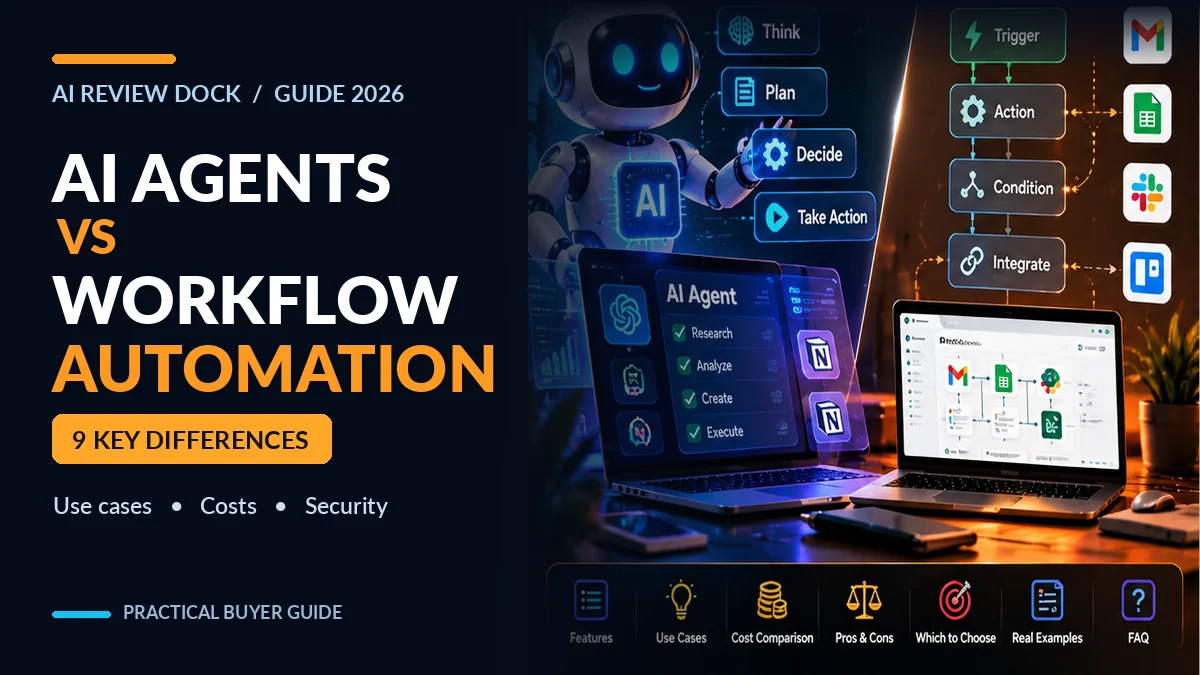
AI agents vs workflow automation: both can save time, but they do not solve exactly the same problem. A traditional workflow follows a defined sequence of rules and actions. An AI agent can use models and tools to make decisions about intermediate steps within boundaries you set. That extra flexibility can help with messy information, but it also adds new risks, testing requirements and costs.
If you’re choosing software for your business in 2026, start with the task rather than the latest product label. This guide explains nine practical differences between AI agents and workflow automation, gives original worked examples for customer support, invoices and publishing, and includes a decision framework you can adapt to your own team.
Editorial note: This is an educational guide using documented concepts, hypothetical business examples and official reference sources. The time and cost figures are illustrations, not measured results from a named AI product. No affiliate purchase links are required to use the framework.
AI Agents vs Workflow Automation: Quick Answer
Use workflow automation when the process is predictable, inputs are structured, rules are stable and you need repeatable outcomes. Consider an AI agent when a task involves interpreting varied information, choosing among possible actions and using software tools to pursue a goal. Often the best system combines both: deterministic automation for important rules and AI for narrow, reviewable decisions.
IBM describes an AI workflow as a structured process that uses AI to perform or support tasks. Its guide to AI agents emphasizes systems that can plan and act using tools. Terminology overlaps across vendors, so evaluate what the software actually does rather than relying on “agent” in the name.
| Question | Workflow automation | AI agent |
|---|---|---|
| How are steps selected? | Predetermined triggers, branches and rules | Model-informed planning within allowed tools and instructions |
| What input works best? | Well-structured, predictable data | Unstructured or variable language and documents |
| How predictable is behavior? | High when rules are well defined | Depends on model, context, tools and constraints |
| What must be tested? | Every branch, mapping and integration | Reasoning errors, tool actions, permissions and recovery |
| Typical benefit | Consistency at scale | Flexible handling of changing tasks |
| Typical risk | Rules break when conditions change | Unexpected actions or unsupported assumptions |
What Is Workflow Automation?
A workflow is a series of steps connecting events to business actions. For example, “when a new form arrives, check whether a required email field exists, add the lead to the CRM, and notify the sales team.” The design may have conditional branches, but someone typically defines them in advance.
Workflow automation can use scripts, integrations, scheduled jobs and no-code tools. It does not need an LLM for every step. In fact, avoiding model calls for simple, deterministic work may improve speed, explainability and cost.
Example: simple customer inquiry routing
Suppose a business receives requests through a contact form. For an example of a separate conversation-based website lead-capture offer, see our CueVue review, which looks at the vendor’s claimed live-representative features and credit allowances. A rule-based workflow validates the form, checks which dropdown category the customer selected, creates a ticket and sends a standard confirmation. When the form is missing an email address, the workflow asks for correction rather than guessing.
The strengths are clear: predictable data handling, easy log review and straightforward testing. The weakness appears when people write complex unstructured messages that don’t fit the predefined categories.
What Is an AI Agent?
An AI agent is software that can interpret an objective, consider information, call permitted tools and decide which step to perform next. A useful definition focuses on bounded action-taking, not just generating text. A chatbot that answers one question is not automatically a reliable agent; an agent workflow normally involves tool use, state, decisions and outcome checks.
For instance, an agent could read a customer email, search an approved knowledge base, draft a reply, and create a follow-up task. However, it should not automatically refund a payment, change account permissions or send a contractual commitment without controls appropriate to the business risk.
Agent systems can be limited to one step or orchestrate many. The greater the autonomy, the more important it becomes to restrict access, verify output and record who approved important actions. NIST’s AI Risk Management Framework offers useful principles for identifying, measuring and managing those risks.
9 Differences Between AI Agents and Workflow Automation
1. Fixed sequences vs flexible plans
Traditional automation works from a flowchart that someone designed. A rule may say that an invoice over a threshold goes to a manager. An AI agent could determine that a document is probably an invoice, identify its supplier and choose a search tool to retrieve related records.
However, flexible planning is not inherently better. If the business requirement is simply to apply a tax rate or check a payment deadline, a fixed and auditable rule is usually the safer choice.
2. Structured vs unstructured inputs
Web forms, spreadsheets and database events are ideal for rules. Emails, long PDFs and loosely phrased requests may benefit from language understanding. Yet AI extraction can misread a total or vendor name, especially from poor scans, so an agent should label uncertainty and allow correction.
3. Deterministic logic vs probabilistic interpretation
If you program “total = unit price × quantity,” the same input should produce the same result. An AI-generated answer may change with context and prompt wording. Use conventional code for arithmetic and financial posting; use AI to assist classification or explanation where appropriate.
4. Easier tests vs wider failure modes
In a fixed workflow, you test branches such as missing data, duplicate records and network timeouts. In an agent, you also test hallucinated facts, inappropriate tool choices, repeated actions, prompt injection and attempts to use information outside the authorized scope.
5. Narrow permissions vs tool-driven access
A workflow might have permission only to create support tickets. An agent connected to email, calendar, files and billing can reach much more sensitive information. Therefore, configure the minimum tool set required, separate read permissions from write permissions and require approval before irreversible actions.
6. Predictable cost vs variable workload cost
Scheduled workflows may incur integration or task fees. AI agents can also use input/output tokens, search or browsing steps, document retrieval and repeated tool calls. Retries and longer contexts make total cost harder to estimate without a real test.
7. Explicit rules vs goal-oriented behavior
A workflow says “perform these steps when this happens.” An agent is often given “achieve this result within these limits.” The latter can handle novel circumstances but should have a concrete definition of success, an action budget and a stop condition.
8. Simple observability vs richer audit trails
For rules, a log showing input, branch and output may be enough. Agents should also record the tools they called, permission scope, key evidence, errors, approvals and final action status—without exposing secrets in their logs.
9. Clear escalation vs autonomous recovery
A fixed flow can send any unexpected input to an employee. An agent may attempt to recover from tool errors or missing data. That is helpful only when limits are explicit. For a purchase order, “ask a person” is often a better recovery strategy than allowing a model to improvise a supplier or transaction amount.
Which Approach Works for Real Business Tasks?
| Business task | Recommended starting point | Why |
|---|---|---|
| Send a confirmation after a completed form | Workflow automation | Known trigger, fixed message, repeatable action |
| Summarize a customer complaint for an agent | AI-assisted workflow | Unstructured language but limited output |
| Match an invoice to exact ledger rules | Workflow with validation | Accuracy and auditability are central |
| Research a complex support question | Constrained AI agent | Requires selecting sources and relevant tools |
| Publish a reviewed blog post on a set date | Workflow automation | Scheduling should be deterministic |
| Prepare a draft article from approved sources | AI-assisted process with editor approval | Interpretation is useful; publication needs oversight |
| Approve a refund or payment | Human-approved controlled workflow | Financial and customer consequences |
This table is a decision guide, not a claim that every tool labeled “agent” or “automation” can perform the listed work. The exact connector permissions, error handling and commercial plans depend on the product.
Worked Example 1: AI Agents vs Workflow Automation for Invoices
Imagine a small company receiving 80 supplier invoices each month. Its owner wants to reduce manual data entry while preserving financial controls. Here is a sensible hybrid design.
- Step A — deterministic intake: The mail or upload service stores each PDF, records its source and checks for duplicate message IDs.
- Step B — limited extraction: An OCR or AI-assisted component proposes vendor, invoice number, due date, currency and total.
- Step C — programmed validation: Code checks field types, totals, duplicate invoice numbers and the purchase-order match.
- Step D — human review: Missing supplier details, uncertain numbers and mismatched totals go to an approver.
- Step E — controlled posting: Only approved records move to accounting and the system logs each action.
An unrestricted agent that reads all invoices and posts payments may sound impressive, but it introduces unnecessary risk. More autonomy becomes justified only after rigorous testing, authorization controls and a clear recovery process.
In this design the AI contributes where documents vary, while conventional rules protect the final financial decision. That division often improves auditability without giving up the benefits of language understanding.
Worked Example 2: Customer Support Without Unsafe Autonomy
Imagine a SaaS company that receives 30 routine queries per weekday. Its help desk wants faster replies but cannot afford wrong subscription commitments. Start with a rule-based ticket queue, then add AI to summarize the customer’s issue and search published documentation.
The AI can draft a response citing the support document. Before sending it, a human or strict policy checker verifies account-specific promises, billing changes and privacy-sensitive details. If the sources disagree, the workflow escalates instead of allowing the model to guess.
A practical quality rubric could score the draft on accuracy, source support, tone, completeness and privacy handling from 0 to 2 points each. A 10-point total is easy to record, but the rubric is an editorial scoring method, not a validated benchmark. Track correction frequency and customer satisfaction in actual operation.
Worked Example 3: AI Content Publishing With Approval
Suppose your marketing team publishes two guides per week. An agent could gather authorized sources, suggest headings, identify uncertain claims and draft an outline. A deterministic workflow then assigns the draft to an editor and schedules it only after approval.
Do not allow the agent to invent hands-on software tests, affiliate payouts or ranking results. Google explains in its people-first content guidance that usefulness, originality and reliability matter more than content volume. Automation can help with editorial preparation, but it does not guarantee indexing or search rankings.
For a practical educational example, our intelligent automation workflows guide explains what should remain under human review and how to plan repeatable business processes. These principles apply across software offers rather than relying on one vendor’s promises.
A Simple AI Agent vs Workflow Automation Decision Framework
Before buying a tool, score the proposed task across five dimensions. Give each one 0 for low, 1 for moderate or 2 for high: variability of inputs, need for judgment, consequences of a wrong action, difficulty of explaining the outcome and availability of reliable validation rules.
| Factor | 0 points | 2 points |
|---|---|---|
| Input variability | Always the same fields | Unstructured text/documents change often |
| Judgment needed | Exact rules available | Multiple legitimate approaches possible |
| Error impact | Easily reversible | Money, access, safety or legal consequences |
| Explainability need | Low stakes | Formal evidence or audit needed |
| Validation availability | Clear automatic test exists | Hard to confirm correctness automatically |
Important: The total is a conversation starter, not a scientifically validated ranking. High variability and high judgment may suggest AI involvement; high error impact and poor validation should trigger stronger human approval, not more autonomy.
For example, summarizing support tickets has high input variability but low authority to change customer records, so an AI-assisted workflow may be appropriate. Executing a wire transfer has high consequences and requires strict validation, so preserve deterministic controls and human authorization.
How to Measure Whether an AI Agent Saves Money
Consider an illustrative monthly workload of 200 support tickets. Suppose staff spend 8 minutes on initial categorization: that equals 1,600 minutes, or about 26.7 hours. After introducing an AI-assisted draft, staff might spend 3 minutes per ticket reviewing the suggestion: 600 minutes, or 10 hours.
The hypothetical gross saving is 1,000 minutes, about 16.7 hours. However, the correct business calculation also includes model/API charges, integration fees, quality checks, engineering maintenance and time spent repairing errors.
| Metric to track | Why it matters |
|---|---|
| Manual baseline time | Shows the cost of the current process |
| AI plus review time | Reveals actual workload reduction |
| Error correction time | Prevents optimistic estimates |
| Tool and API spending | Shows the all-in financial cost |
| Escalation frequency | Indicates where automation isn’t reliable |
| Customer or employee outcomes | Ensures saved time does not reduce quality |
Use your own measured inputs instead of assuming an agent marketed as “24/7” can replace a job or generate guaranteed revenue. For more on changing AI software costs, read AI Lifetime Deals vs Subscriptions.
AI Agent Security: Why Tool Permissions Matter
An AI agent that can browse email or edit cloud files may encounter instructions embedded in documents, web pages or messages. Those external materials should be treated as data, not as trusted commands. OWASP identifies prompt injection and sensitive information disclosure among important LLM application risks.
Start with least-privilege permissions: read-only access where possible, domain or folder limits, separate test accounts and explicit approval for sending emails, publishing content, moving money or deleting records. Keep secrets out of prompts and logs, and test recovery when the model or tool returns an error.
Even a simple automation requires monitoring. An expired token, renamed folder or API outage can silently disrupt workflows. The safest system documents inputs, decision points, owners, alarms and rollback procedures.
What to Ask Before Buying AI Agent Software
- Which tasks are genuinely autonomous and which rely on fixed workflows?
- Can a human approve high-impact actions before they happen?
- What tools, credentials, folders and accounts can the agent access?
- Can you see tool-call logs, retries, errors and actual usage charges?
- Does the vendor disclose model, credit, concurrency and fair-use limits?
- Can you pause an agent immediately and revoke its connections?
- How are external documents and prompt-injection attempts handled?
- Can you export your data and move to another service later?
- Is support available when automation damages data or repeats actions?
If a software seller advertises guaranteed revenue or a “self-running business,” ask for a realistic demonstration, written terms and a clear separation between promotional claims and reproducible results.
For a current example of a consumer-facing agent app, see our look at Meta Muse: setup, the free plan and its privacy settings.
Frequently Asked Questions
Are AI agents and workflow automation the same thing?
No. Workflow automation usually relies on defined steps and conditions. An AI agent may interpret a goal and select permitted tool actions with more flexibility. Some systems combine both approaches.
Do AI agents always use large language models?
Many modern software agents do, especially for language-based tasks. But the wider idea of an autonomous software agent is not limited to LLMs. Evaluate the actual architecture and capabilities of the product.
Is an AI agent better than Zapier-style automation?
Not automatically. For straightforward triggers and mappings, predictable workflow automation may be cheaper and safer. An agent becomes more relevant when variable information requires interpretation, provided the results can be checked.
Should an AI agent publish posts automatically?
For evidence-heavy articles and product reviews, a human-approved draft and scheduled publishing flow is usually safer. Automation can prepare materials, but it should not fabricate tests, prices or claims.
Can an AI agent make financial decisions?
Software can assist with financial classification and reconciliation, but high-stakes transfers, account changes and final approvals need controls consistent with the organization’s risk, applicable law and contractual obligations.
Are AI agents more expensive than traditional automation?
They can be, especially when complex tasks require repeated model calls, tools and human corrections. A measured pilot is the only reliable way to compare costs for your particular workload.
What is the easiest beginner project?
Start with read-only support-ticket summaries or internal document classification. These tasks help test accuracy and workflow design without immediately granting permission to change important records.
Final Verdict: Start With Rules, Add AI Where It Helps
The AI agents vs workflow automation debate becomes much simpler when you define the outcome, available data and cost of a mistake. Use conventional automation for known rules. Add AI when it helps interpret variable inputs or produce useful drafts. Reserve autonomous tool decisions for cases where permissions, verification and auditing are strong enough.
Successful automation isn’t the workflow with the most impressive label. It’s the one that completes useful work consistently, remains understandable when something goes wrong and treats customer information responsibly.
Related reading: Gemini Canvas sketch-to-app tutorial · AI Lifetime Deals vs Subscriptions · AI Video Credits Explained.