
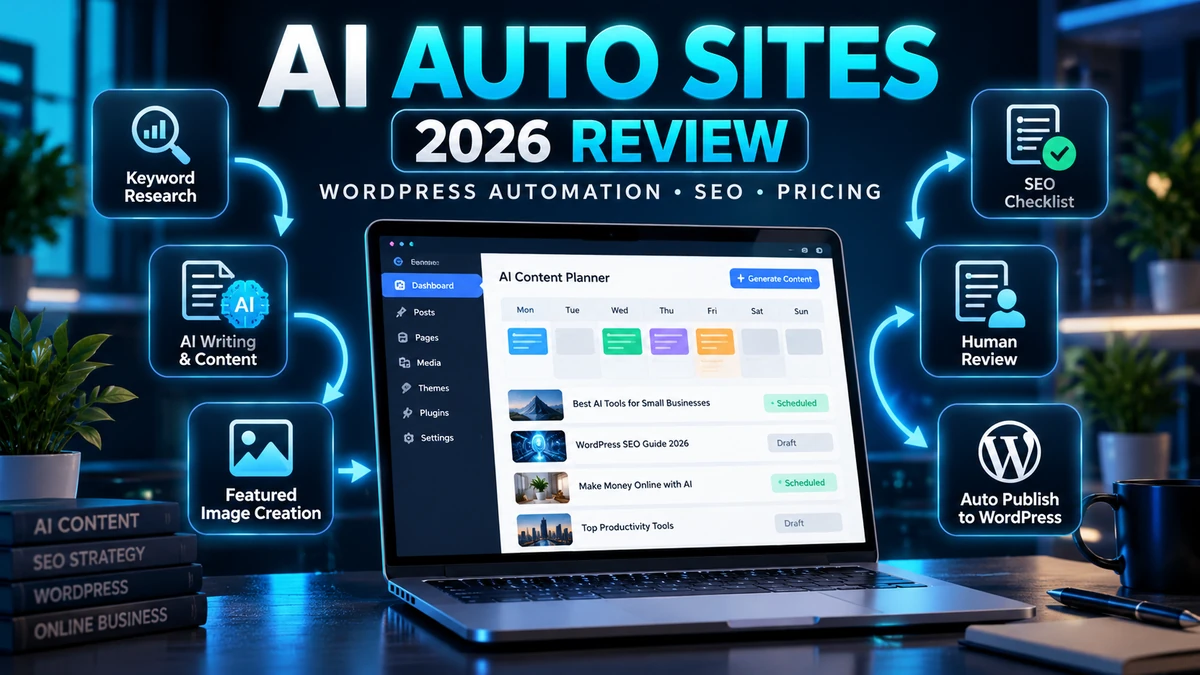
AI Auto Sites review 2026: A WordPress site can automatically schedule posts, connect an AI writer, generate a featured image and fill in SEO fields. But running a website well also requires accurate information, relevant search intent, editorial standards, secure integrations and continuous maintenance. AI Auto Sites is sold as an AI-driven WordPress automation system. The relevant question isn’t whether it can produce posts quickly; it’s whether it can produce content that readers trust and whether its automation is safe for your site.
In this detailed AI Auto Sites review, we examine its advertised keyword discovery, article creation, media generation, scheduling, WordPress integration and SEO features. We also explain what the vendor hasn’t independently demonstrated, the difference between “autopilot posting” and Google rankings, typical upsell questions, safer setup practices, competing approaches and a measurable 30-day trial plan for US publishers and small businesses.
Affiliate and evidence disclosure: The buttons in this review are affiliate links; AIReviewDock may earn a commission if you purchase, with no additional charge to you. This is a research-based evaluation of the offer and a technical buying framework, not a claim that we purchased an AI Auto Sites account or measured its output in a controlled test. Advertised product capabilities, price, included credits, uptime and refund rules require confirmation with the seller. We do not endorse promised search rankings or income results.
AI Auto Sites Review 2026: Our Quick Verdict
Potentially useful for: WordPress operators who have a defined publishing process and want help preparing drafts, assigning categories, scheduling review-ready posts and managing repetitive metadata tasks. Not a good fit for: website owners expecting software to guarantee organic rankings, replace subject-matter judgment or run unattended without checking factual accuracy and security settings.
Our preliminary assessment is “workflow automation worth investigating, but verify quality and safeguards before enabling autopublishing.” The best configuration for most new publishers is AI-generated drafts → human review → scheduled publication, not instant production of dozens of unchecked pages.
What Is AI Auto Sites?
AI Auto Sites is an AI-focused WordPress publishing offer sold through LaunchPadJV. Its seller presents it as an “AI Autopilot WordPress Engine” that can research keywords, generate search-oriented posts, create visual assets, organize metadata and publish content through a connected WordPress website. The seller’s official partner page advertises a multistep workflow: research, write, optimize and publish. Those are vendor claims, not an independent technical certification of ranking or article quality.
The product’s sales pitch specifically mentions an “AUTO SITE Operator” powered by GPT- and Claude-related language. That does not establish which exact AI models or paid inference entitlements are actually included in any particular purchase. Model names, platform APIs, output limits and access costs can change. Ask for a current plan-specific feature sheet before assuming you receive unlimited third-party models.
AI Auto Sites should also not be confused with unrelated WordPress AI autopublishing plugins. Similar marketing phrases occur in several products, but they do not share licenses, refund policies or codebases.
AI Auto Sites Features: Vendor Claims vs Practical Value
| Advertised function | Why a blogger may want it | What to verify |
|---|---|---|
| Keyword discovery | Find specific questions to answer | Search volumes, geography, freshness and sourcing |
| “Golden keyword” finder | Prioritize less competitive topics | How difficulty is calculated; whether third-party data is licensed |
| AI article drafting | Reduce first-draft labor | Source attribution, originality, accuracy and editorial control |
| Featured image generation | Produce relevant visuals | Rights, output resolution, relevant alt text and credit charges |
| SEO metadata and structure | Save formatting time | Titles, descriptions, canonical URLs and schema validity |
| Automated categories/tags | Keep a growing site organized | Duplicate tags and irrelevant category creation |
| Publishing schedule | Maintain a consistent cadence | Timezone, draft mode, approval queue and rollback |
| WordPress connection | Publish without repeated copy/paste | Credential method, permissions, disconnect and audit logs |
| “24/7 autopilot” | Operate recurring tasks without manual prompting | Actual uptime, quota, failure handling and human oversight |
A product can genuinely help with routine work even when its traffic promises are exaggerated. The distinction is between automation quality—whether it carries out a reliable process—and search performance, which depends on user demand, content quality, site reputation, competition and Google’s systems.
How an AI-Powered WordPress Publishing Workflow Should Work
Step 1: Define the audience and the editorial purpose
Before connecting any AI tool, write one sentence describing who your website serves. For instance, a US home-office technology blog could help freelancers select affordable productivity software. An AI affiliate review site might instead focus on buyer-intent questions about pricing, subscriptions and licensing.
A useful publishing brief specifies the topic boundaries, sources you trust, prohibited claims, writing tone, fact-checking requirements and the point where a human must approve content. Without a brief, bulk output can drift into unrelated topics that attract little qualified traffic.
Step 2: Evaluate proposed keywords against actual intent
If AI Auto Sites suggests “best AI software,” check whether the search results are dominated by established directories and broad lists. An achievable topic could be a specific buyer question such as “How do AI video credits work?” or “Can interactive ebooks be uploaded to Kindle?”
Demand and difficulty numbers need an identifiable source and date. A marketing promise of “zero-competition keywords” is not a guarantee. The right topic should answer a real reader question, fit your website’s expertise and allow you to provide better examples than competing pages.
Step 3: Create a research packet before writing
Gather two or three high-quality primary references: the official product plan, a vendor support article and relevant platform documentation. Record the date each was verified. For changing prices, quotas and refund terms, save screenshots from the current checkout and treat third-party reviews as context rather than proof.
Never let an automated writer invent test results, product ownership, customer testimonials or statistics. Good AI assistance can summarize verified research but does not replace evidence collection.
Step 4: Generate the draft with an evidence-first prompt
Ask for a clear answer, defined audience, useful examples, limitations and genuine source links. Instruct the writer to use “not confirmed” when a specific feature or price cannot be validated. This is especially important for affiliate software, where upgrades and access tiers may change after a launch.
Here is a practical editorial brief you can adapt to the product’s current interface if it accepts custom prompts:
Create a detailed draft explaining the chosen reader question. Audience: US small-business owners new to the subject. Use only the supplied verified sources for specific claims, pricing and statistics. Include a quick answer, one real-world example, a comparison table, a practical checklist, limitations, FAQs and a concise conclusion. Highlight any claim that needs manual review. Do not invent first-hand tests, income results, SEO rankings or affiliate testimonials. Save the content for editorial approval before publication.
Step 5: Review the article before it reaches WordPress
Check the introduction for a direct answer rather than keyword-filled filler. Verify calculations, claims, links, brand names, product distinctions and dates. Remove repetitive paragraphs. Ensure any affiliate disclosure is visible, and that an article about a product differentiates marketing promises from verified specifications.
Only after editorial review should the tool be allowed to assign the category, schedule the post or push it to WordPress. For serious reviews, add original screenshots or a small reproducible test whenever possible. If that evidence is unavailable, call it a research-based review instead of pretending you used the tool.
Step 6: Verify image quality and rights
An automatically generated thumbnail should depict the real article topic, not a fake interface or fabricated product result. Aim for a readable 16:9 composition where appropriate, add meaningful alt text and avoid large text overlays that become illegible on mobile.
Image alt text should describe the image for people using screen readers; it is not a place to repeat the target keyword unnaturally. Confirm your generator’s commercial-use terms and image attribution requirements.
Step 7: Publish carefully and monitor the result
Use one scheduled post at a time when you first deploy an AI workflow. Verify that the intended URL returns HTTP 200, is not accidentally marked noindex, has a sensible canonical, is included in a valid sitemap and displays correctly on phones. Check internal links and featured images in the rendered page—not only the editor.
The official Google helpful content guidance emphasizes material made primarily for readers. Automatic generation alone is not a replacement for originality, quality and a good experience.
A Safer Example: Five Posts for a Small Software Blog
Imagine you manage a new US-focused website reviewing useful software for independent professionals. Rather than launching 50 automated posts on day one, build a five-topic pilot and evaluate each result.
| Planned article | Useful question to answer | Evidence to add manually |
|---|---|---|
| AI video credit pricing | How many finished clips can a plan deliver? | Official credits per video and worked calculations |
| Lifetime vs monthly AI | When does a one-time plan break even? | Current costs, model fees and example budget |
| AI research assistant | Can it cite original sources accurately? | One tested source-verification workflow |
| AI ebook publishing | Which export formats work for KDP? | Current retailer guidance and sample exports |
| Automated WordPress SEO | What does the plugin actually configure? | Recorded WP admin settings and live page tests |
Notice that none of these are vague “AI is changing everything” topics. Each has a concrete question, a measurable answer and a reason for a reader to trust the page. That is the standard an AI content system should help you maintain.
AI Auto Sites Pricing, Launch Deals and OTOs
AI Auto Sites has appeared in the LaunchPad product catalog with a listing around $12.68. The product’s March 2026 launch listing separately mentioned a $19 front-end reference price. Both are historical or listing-specific figures, not a guarantee of what you would pay today.
The funnel also advertises upgrades. Public LaunchPad checkout pages have shown a reseller-oriented offer near $99 and a separate Turbo upgrade context around $25, with additional optional bumps. These pages are not the same as the front-end checkout; promotional coupons or conditions may apply. We have not verified an exhaustive current OTO list or which upgrades are required for every advertised capability.
| Possible purchase component | What to clarify before paying |
|---|---|
| Front-end access | Does it include actual AI generation or only dashboard access? |
| Monthly article/keyword allowance | Are credits capped, renewed, or charged by API? |
| Turbo/speed upgrades | Does the upgrade alter queue speed, models or publishing volume? |
| Reseller rights | Can you sell licenses or is it only a marketing partner arrangement? |
| Multiple-site support | How many WordPress domains and user accounts are allowed? |
| Image generation | Is the image budget included with every tier? |
| Lifetime plan | Which features and external API costs are covered over time? |
| Refund terms | Is the displayed checkout governed by the advertised refund policy? |
If the main reason to buy is a special launch price, calculate the entire workflow’s cost before choosing it. Our lifetime AI deals vs subscriptions guide
Can AI Auto Sites Automatically Rank on Google?
No tool can guarantee first-page rankings merely by generating articles or setting SEO metadata. Search engines consider the query, content quality, relevance, crawlability and many other factors. For a practical explanation, see our Google AI Overviews SEO guide for 2026. Google also has spam policies on scaled content abuse. Using automation to mass-produce low-value pages primarily to manipulate search rankings can violate those policies, regardless of whether AI wrote the text.
Use an AI publishing workflow to save time on research organization and routine edits, while ensuring each article adds something original: a clearer explanation, a credible calculation, a useful experience, an official citation or a tested example. Publishing more posts than a rival does not guarantee overtaking that rival.
What automatic SEO can genuinely assist with
It can help draft concise titles, clean URL slugs, descriptive excerpts, internal-link suggestions, headings and image descriptions. These are valuable housekeeping functions. But the tool must not add nonexistent reviews, fake FAQs, misleading schema data or unverifiable “best” claims just to improve an SEO plugin score.
Indexing is separate from ranking
A post can have a sitemap entry and still not appear in Google Search. Google may discover, crawl and evaluate the URL on its own schedule; sitemap submission and manual indexing requests do not guarantee inclusion. A vendor’s “instant indexing” slogan should be checked against the actual method used. Google’s general Indexing API is not designed to submit ordinary blog posts for priority inclusion.
WordPress Security: Permissions to Review Before Connecting AI Auto Sites
Automated WordPress access has real consequences. An integration granted administrator-level permissions could potentially change posts, plugins, users and configuration. Before using third-party automation, ask whether it supports restricted application passwords, a dedicated editorial account and a safe way to revoke access.
WordPress documents REST API authentication and Application Passwords for integrations. These are WordPress platform capabilities, not proof of the implementation used by AI Auto Sites.
Recommended safety checklist
- Create a complete, tested backup and consider a staging WordPress website.
- Check whether the integration requests Administrator access unnecessarily.
- Prefer a dedicated least-privilege user when the integration supports it.
- Start with Draft or Pending Review, not unattended direct publishing.
- Confirm rate limits and maximum daily publication count.
- Test error handling when WordPress, the AI provider or an image API is unavailable.
- Check that the system does not expose private prompts, API keys or customer data in public content.
- Keep an audit log of created and modified posts.
- Know where to revoke credentials and disable the automation immediately.
For client websites, access should be approved by the owner and documented. Do not connect a new tool to a revenue-critical production website simply to test its advertised capabilities.
AI Auto Sites vs a Standard WordPress Editorial Workflow
| Area | AI Auto Sites (advertised) | Manual/editorial WordPress approach |
|---|---|---|
| Topic research | Automated keyword suggestions | Research search intent and competition manually |
| Drafting | AI-generated article content | Human writer or AI-assisted outline with editor approval |
| Images | Generated featured visuals | Original screenshots, charts, owned or licensed images |
| SEO fields | Automatic metadata | Review of title, excerpt, canonical and schema |
| Publication | Scheduled or automatic posting | Editor-controlled draft/schedule/publish |
| Quality control | Unclear until tool is tested | Explicit fact-check and source review |
| Maintenance | Depends on provider’s monitoring and support | Owner-managed review and software updates |
For a small number of carefully researched reviews per week, a simple editorial process may cost less and yield more distinctive articles. For a large catalog of routine, source-backed updates, automation can be useful if it preserves quality and provides adequate control.
Who Might Benefit—and Who Should Wait?
Potential fit: established content teams
A team with clear editorial guidelines, fact-checkers and a predictable schedule may use AI Auto Sites to create first drafts and handle repeatable WordPress tasks. It should audit a small sample before scaling.
Potential fit: local-service websites with reusable resources
A local service business may want helpful FAQ articles, maintenance tips or seasonal guides. Accuracy and locality matter: do not let an automated system invent opening hours, fees, services, testimonials or addresses. Local relevance comes from genuine business expertise, not repetitive city-name pages.
Use caution: affiliate comparison websites
Affiliate reviews often include product versions, changing OTO prices, licensing, refund terms and suitability claims. Automating those without evidence risks misleading readers. AI can help structure the article; reliable original evaluation is what differentiates a buyer guide from a promotional rewrite.
Poor fit: sensitive professional topics without expert oversight
Do not use unattended AI auto-publishing for individualized health, legal or financial advice. Such content requires qualified review, jurisdiction awareness and careful handling of changing regulations.
A Realistic 30-Day Evaluation Plan
This is a suggested experiment, not a product-performance claim. It helps you determine whether AI Auto Sites actually saves time while maintaining editorial quality.
| Period | Test | Record |
|---|---|---|
| Days 1–3 | Connect a staging site, restrict permissions and create one draft | Setup minutes, required permissions, unexpected changes |
| Days 4–7 | Prepare three posts on known topics | Factual mistakes, duplication, source quality |
| Week 2 | Apply editorial checks to five new drafts | Editing minutes per 1,000 words, useful original examples |
| Week 3 | Test scheduling, internal links and image metadata | Rendering accuracy, broken links, mobile formatting |
| Week 4 | Review indexing and early engagement without inferring causation | GSC impressions, eligible indexed URLs, actual reader behavior |
Use a pass/fail rubric for each draft: factual accuracy, source validity, new information, intent alignment, clarity, internal links, media rights and technical quality. Do not make traffic growth the only metric in a short trial because new websites take time to accumulate search signals.
9 AI Auto Sites Buying Checks Before You Enable Autopilot
- WordPress access: Can you connect without handing over your main administrator login?
- Review mode: Can generated work stay as Draft or Pending Review until approved?
- Fact-checking: Does every numeric or technical claim preserve its original source and date?
- Topic fit: Can the system exclude unrelated categories and repetitive keyword variations?
- Real keyword data: Is search demand and competition backed by identifiable, fresh sources?
- Media licensing: Are generated visuals allowed for your intended commercial use?
- Costs: How many credits, articles, connected sites, and API operations are included?
- Maintenance: What logs, backups, rollback procedures, downtime handling and access revocation exist?
- Purchase terms: What do the current checkout, upgrade path, commercial license and refund policy actually promise?
If any of these answers are missing, test on a non-production website and keep automatic publishing disabled until the gap is resolved.
AI Auto Sites Pros and Cons
Potential positives
- One workflow could reduce the time spent moving drafts and media into WordPress.
- Automated scheduling and consistent SEO fields can support publishing hygiene.
- Keyword/topic suggestions can be a starting point for human research.
- Visual generation may save design time for suitable illustrations.
- Recurring tasks are easier to standardize when the tool supports approvals and logs.
Important limitations and questions
- Keyword-finder metrics and rankings are not independently validated by the offer page.
- Bulk AI writing can produce repetitive, shallow or inaccurate posts.
- Autopublishing without moderation can damage editorial trust.
- Third-party WordPress integrations raise permission and data-protection issues.
- Launch prices and upgrade funnels can differ from the effective ongoing cost.
- SEO-plugin scores and sitemap pings do not guarantee search traffic.
Frequently Asked Questions About AI Auto Sites
Does AI Auto Sites build an entire WordPress site?
The marketing describes an AI-powered WordPress engine that can connect to a website, create content, organize posts and run recurring publishing tasks. Confirm whether it also builds themes, page templates and site navigation, or primarily automates content and publishing.
Does it work with my existing WordPress site?
The seller advertises support for new and existing WordPress websites. Verify your hosting requirements, WordPress version, authentication process, plugin compatibility and the permissions needed to connect safely.
Can AI Auto Sites guarantee top Google rankings?
No. Google rankings depend on relevance, content value, competition and search systems. Automated keyword insertion or mass posting cannot guarantee ranking outcomes.
Is AI Auto Sites free or a one-time payment?
The public launch offer advertises a paid front end, but live prices and optional upgrades vary. Verify credits, API fees, connected sites, renewal charges and the current checkout before purchasing.
Should I allow automatic publishing immediately?
We recommend starting with drafts and editorial approval. After confirming accuracy, images, security and error handling, you can decide whether narrowly scoped scheduled publishing is appropriate.
Is automatically generated content against Google policies?
Automation is not inherently prohibited; the key issue is whether content is made for people and whether scaled pages are designed primarily to manipulate rankings rather than help users. Review Google’s published policies before producing material at scale.
Can it replace Ahrefs, Semrush or human keyword research?
Not without validated data provenance, coverage and freshness. Different tools provide different metrics, and a marketer still needs to assess search intent, evidence quality and competitive difficulty.
What if the AI publishes incorrect or duplicate articles?
Disable publishing, correct or unpublish affected pages where needed, audit the integration, fix the prompt and approval process and confirm you have backups. Require an audit log and sensible rollback options.
How does AI Auto Sites compare with a normal WordPress scheduler?
WordPress already supports drafts and scheduled publication. A dedicated AI tool adds value only if its topic discovery, drafting, integrations or bulk management save enough manual effort while keeping quality high.
Final Verdict: Should You Buy AI Auto Sites in 2026?
AI Auto Sites offers an appealing promise for WordPress publishers: less repetitive work across research, writing, image creation and post scheduling. The concept is useful; the sales promise of traffic on autopilot is not established by the existence of those features. We would evaluate this product on a staging website, starting with five human-reviewed drafts before considering larger-scale automation.
Our buying advice is to confirm the exact launch package, site and generation limits, optional credits, export ability, security permissions, editorial review mode and support/refund terms. A good automation system should leave you more time for original research and better content—not simply increase the number of posts.
Related AIReviewDock resources: CinematicWeb AI Review · AI Lifetime Deals vs Subscriptions · AI Software Deals.