
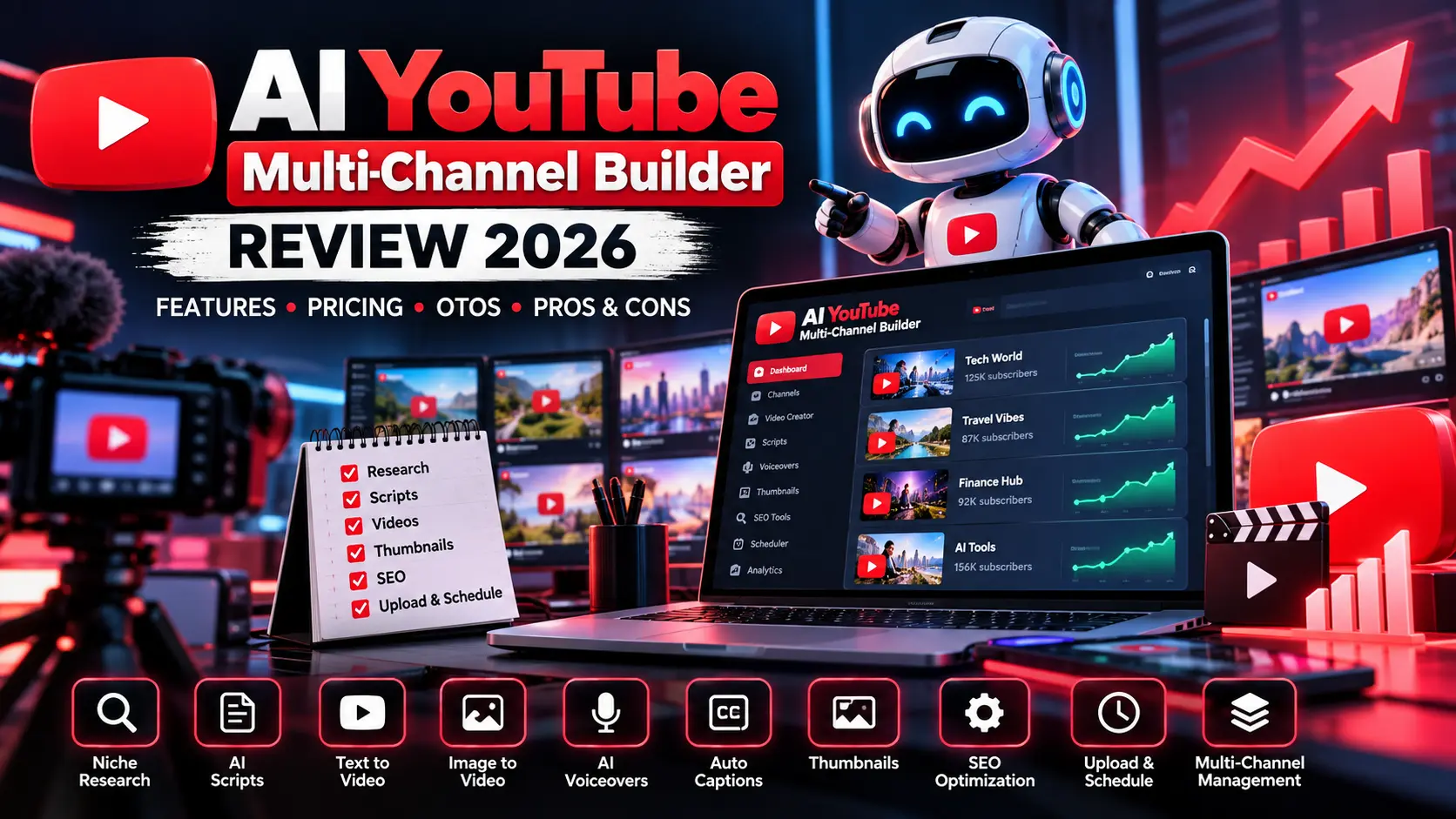
Running one YouTube channel consistently already takes substantial work. Running several channels adds research, scripting, editing, thumbnails, uploading and scheduling. For short AI-generated concepts, our Google Vids AI free tutorial explains the announced monthly limits and testing steps. Before publishing synthetic media, review our YouTube AI content disclosure guide.
That is the problem AI YouTube Multi-Channel Builder is designed to address.
In this AI YouTube Multi-Channel Builder Review, we will look at the platform’s advertised features, pricing, upgrade funnel, advantages, limitations, ideal users and whether the product makes sense for creators who want to manage multiple YouTube channels from one workspace.
The important point is that this is not simply another AI video generator. The vendor positions it as a broader YouTube workflow system covering research, content production and publishing.
Affiliate Disclosure: AI Review Dock may receive a commission if you purchase through links on this page, at no additional cost to you. Our reviews are designed to help readers evaluate software before purchasing.
AI YouTube Multi-Channel Builder Review: Quick Overview
Product: AI YouTube Multi-Channel Builder
Creator: Uddhab Pramanik / Insource Apps
Launch Date: September 18, 2026
Platform: LaunchPad
Product Type: AI YouTube automation and video creation software
Primary Use: Create and manage content across multiple YouTube channels
MunchEye Launch Price: $17
Current Vendor Promotion: $14.95 one time
Best For: Faceless-channel creators, marketers, YouTubers, freelancers and agencies
Main Strength: Combines several YouTube production tasks inside one dashboard
MunchEye lists the launch under Uddhab at $17, while the vendor’s current front-end sales page advertises a $14.95 one-time offer. Because promotional pricing can change, verify the checkout before paying.
What Is AI YouTube Multi-Channel Builder?
AI YouTube Multi-Channel Builder is a cloud-based platform designed to automate or simplify many of the tasks involved in running YouTube channels.
According to the official product material, the system can help with:
- Niche and topic research
- AI script writing
- Video generation
- YouTube Shorts
- Voiceovers
- Voice cloning
- Captions
- Thumbnails
- SEO titles and descriptions
- Multi-channel management
- Uploading
- Scheduling
The vendor’s positioning is particularly focused on people who want to operate more than one channel without manually repeating the entire production process for every video.
Our AI YouTube Multi-Channel Builder Review therefore looks at the tool more as a workflow platform than as a standalone video generator.
How AI YouTube Multi-Channel Builder Works
The advertised process is built around moving from an idea to a published YouTube video with fewer separate tools.
Step 1: Research a Niche or Topic
The platform includes an AI research component designed to find niches, topics and content angles.
This may be useful for creators who struggle with deciding what to publish next.
However, AI-generated topic suggestions should still be validated against real audience demand and competition before building an entire channel around them.
Step 2: Generate the Script
The built-in AI script writer is promoted as creating hooks, main content and calls to action.
For faceless creators, this potentially removes one of the most time-consuming parts of video production.
Human review is still important because AI scripts can include generic language, factual mistakes or weak storytelling.
Step 3: Create the Video
The vendor promotes several video-generation methods:
- Text-to-video
- Script-to-video
- Idea-to-video
- URL or blog-to-video
- Image-to-video
- Faceless video creation
- Batch video production
That range is one of the more interesting parts of the platform because different creators start with different source material.
Step 4: Add Voice and Audio
The platform also advertises AI voiceovers, voice cloning, multiple languages and tone controls.
The sales page currently claims support for more than 30 languages and regional accents.
Step 5: Prepare the Publishing Assets
Creating the actual video is only part of running a channel.
You also need:
- Thumbnail
- Title
- Description
- Keywords or tags
- Captions
- Publishing schedule
AI YouTube Multi-Channel Builder attempts to bring those tasks into the same workflow.
Step 6: Publish to YouTube
Once channels are connected, the vendor says videos can be uploaded or scheduled directly from the platform.
This is where the product’s multi-channel approach becomes most relevant.
AI YouTube Multi-Channel Builder Features
Let’s examine the major advertised features in more detail.
1. Multi-Channel Dashboard
The central idea is managing several YouTube channels from one place.
The sales page promotes the ability to create and work across multiple channels instead of maintaining completely separate production processes.
For someone operating faceless channels across several niches, this could be more valuable than simply having another AI video generator.
2. AI Niche and Topic Research
The platform can help generate niche and topic ideas before production begins.
That is useful because scaling YouTube is not only a video-production problem.
You also need a consistent supply of topics viewers actually want to watch.
3. AI Script Generator
AI-generated scripts can reduce the time required to create:
- Educational videos
- Tutorials
- List videos
- Explainer content
- Faceless videos
- Shorts
- Marketing videos
Our AI YouTube Multi-Channel Builder Review considers the script workflow useful, but the output should still be edited for originality and accuracy.
4. Text-to-Video
You can reportedly enter an idea or text and have the system build a video around it.
This is one of the basic ways the platform attempts to reduce manual editing.
5. Script-to-Video
Creators with their own scripts can use them as the basis for automatically generated scenes.
This could be more useful than full automation for users who want greater control over what the final video actually says.
6. URL and Blog-to-Video
The vendor also promotes URL or blog-to-video functionality.
This could help publishers repurpose written material into video.
However, only use material you own or have permission to repurpose.
7. Image-to-Video
Images can also be used as source material for video creation.
That gives creators another way to reuse existing brand or visual assets.
8. YouTube Shorts Support
Both long-form 16:9 video and vertical 9:16 content are promoted as part of the workflow.
For creators who publish both standard videos and Shorts, having both formats inside one platform could reduce repetitive work.
9. AI Voiceovers and Voice Cloning
AI voiceover functionality is especially relevant to faceless YouTube channels.
The vendor also promotes voice cloning for creators who want a more recognizable voice across their videos.
As always, only clone voices you have the right and consent to use.
10. 500+ Templates
The sales page advertises more than 500 prebuilt templates for different niches and video formats.
Templates can reduce setup time, although creators should customize them enough to avoid every video looking identical.
11. Batch Creation
One of the more scale-focused features is batch production.
Instead of creating one video at a time, the vendor promotes generating larger batches of content.
This feature is potentially useful, but publishing more content does not automatically produce better results.
Quality remains important.
Can It Really Build a Channel in 60 Seconds?
The vendor repeatedly promotes a 60-second channel launcher and says the software can help prepare elements such as the channel name, logo, banner, description and keywords.
That should be understood as an automation claim about setup.
It does not mean a new channel becomes successful, monetized or profitable in 60 seconds.
Building an audience still requires:
- Strong topics
- Watchable videos
- Audience retention
- Consistency
- Testing
- Compliance with YouTube policies
Automation can reduce production work, but it cannot guarantee channel growth.
AI YouTube Multi-Channel Builder Pricing
This part requires care because the public pricing information currently differs.
MunchEye lists the launch price at $17, while the vendor sales page currently advertises $14.95 one time.
For this AI YouTube Multi-Channel Builder Review, we recommend treating the live checkout as the final source for the price.
Current advertised range: approximately $14.95–$17 during launch
The vendor also markets the front-end as a one-time payment rather than a monthly subscription.
Important Limit Question Before You Buy
There is one detail buyers should check carefully.
The main sales page promotes “Unlimited Channel Slots” and talks about launching many channels.
However, the official Unlimited upgrade page says the base account still has:
- Capped channel slots
- Capped video generation
- Capped video length
- Capped voiceovers
- Capped languages
- Capped uploads
and positions OTO 1 as the upgrade that removes those restrictions.
So before purchasing, verify the exact front-end limits at checkout.
This is one of the most important findings in our AI YouTube Multi-Channel Builder Review.
AI YouTube Multi-Channel Builder OTOs
The funnel includes multiple optional upgrades.
Because pricing and package structures can change during a launch, the safest approach is to treat these as reported or advertised upgrade categories rather than permanent pricing.
OTO 1 – Unlimited Edition
The official Unlimited page is designed to remove the limits of the base account.
The vendor specifically mentions removing restrictions around channels, videos, voiceovers, languages, uploads and rendering.
This is likely the most relevant upgrade for someone who actually intends to operate many channels.
OTO 2 – Done-For-You Channel Empire
The official DFY upgrade includes prebuilt channel assets.
The vendor describes Silver as including assets for 20 channels and Gold as expanding to 50 channels with larger video, branding, script and keyword packs.
This is aimed at users who want to reduce setup work even further.
OTO 3 – Movie Channel Edition
This upgrade focuses on movie or cinematic-style channel workflows.
It is much more niche-specific than the core product.
If you are building tutorials, reviews, business videos or general faceless channels, you may not need it.
OTO 4 – Shorts Viral Machine
This upgrade focuses more heavily on short-form vertical content.
It is intended for people who want Shorts to be a major part of their channel strategy.
OTO 5 – YouTube Monetize Master Plan
This part of the funnel is focused more on monetization strategy than basic video creation.
It may be more relevant to beginners who need help thinking beyond simply creating videos.
OTO 6 – Enterprise / Agency-Level Access
Current funnel reporting describes higher-level access for larger operations, teams or businesses.
The exact naming differs across third-party funnel summaries, which is another reason to verify the live upgrade page before buying.
OTO 7 – Enterprise / VIP Upgrade
Some current funnel sources describe an additional enterprise or VIP-style tier.
Treat the live checkout as authoritative because public funnel summaries are not completely consistent on the names and prices of the later upgrades.
OTO 8 – Franchise
The Franchise tier is positioned around broader commercial or reseller-style usage.
This should only be considered if that business model is relevant to you.
OTO 9 – White Label
The higher-end White Label option is aimed at buyers who want to present the software under their own branding.
Again, confirm the current license terms before purchasing specifically for resale or rebranding purposes.
Do You Need Every OTO?
No.
Our AI YouTube Multi-Channel Builder Review recommends starting with the front-end offer and only adding an upgrade when you can clearly explain what limitation it solves.
For example:
Start with the front-end version if you simply want to test the platform.
The Unlimited upgrade becomes more relevant when you regularly hit generation or channel limits.
DFY may make sense for users who want ready-made channels and content assets.
Creators focused mainly on Shorts can consider the Shorts-oriented upgrade.
Business or agency tiers are more suitable if you plan to work with clients.
Avoid buying an upgrade simply because it appears immediately after checkout.
AI YouTube Multi-Channel Builder Pros and Cons
Pros
Combines several YouTube tasks
Research, scripting, video creation, voice, thumbnails, metadata and publishing are positioned inside one workflow.
Built around multiple channels
This is its main differentiator from many single-purpose AI video tools.
Long-form and Shorts support
Creators can work with both major YouTube formats.
Several video-generation methods
Text, scripts, ideas, webpages and images can all serve as starting points.
AI voiceovers
Useful for faceless-channel workflows.
Batch production
Potentially useful when managing a larger publishing calendar.
One-time launch pricing
The current offer is being marketed without a recurring front-end subscription.
Cons
The front-end limits need clarification
The main sales page uses “unlimited” language, while the Unlimited OTO page explicitly describes limits on the base account.
AI content still needs human review
Automatically generated scripts and videos can still contain weak information or low-quality output.
More channels mean more management
Automation reduces production work but does not remove the need to monitor channels.
YouTube monetization is not guaranteed
No software can guarantee subscribers, watch hours, views or approval into YouTube monetization.
Large OTO funnel
The full cost can become much higher if several upgrades are purchased.
AI YouTube Multi-Channel Builder vs Using Separate Tools
The biggest advantage of this product is consolidation.
Without an all-in-one platform, a typical workflow might require separate tools for:
- Topic research
- Script generation
- Video generation
- Voiceover
- Thumbnail design
- SEO metadata
- Scheduling
- Channel management
AI YouTube Multi-Channel Builder attempts to combine those stages into one interface.
That can reduce tool switching.
On the other hand, specialist tools may offer better quality in one particular area.
For example, a dedicated video editor may provide much deeper editing control than an automation-focused all-in-one platform.
The right choice therefore depends on whether your priority is convenience and scale or maximum creative control.
Is AI YouTube Multi-Channel Builder Good for Faceless Channels?
Faceless-channel creators are one of the clearest target audiences.
The product includes several features aligned with that workflow:
- AI scripts
- AI voiceovers
- Automatic video creation
- Thumbnails
- Captions
- SEO
- Publishing
- Multiple channels
That combination can make initial content production faster.
However, creators should avoid producing dozens of nearly identical low-value videos simply because automation makes it possible.
The best use of automation is to reduce repetitive work while still improving the content itself.
Does AI YouTube Multi-Channel Builder Guarantee Monetization?
No.
This distinction is extremely important.
The software may help you create and manage content, but YouTube controls monetization eligibility and enforcement.
YouTube creators are still responsible for complying with the platform’s policies and producing content that provides sufficient value to viewers.
You can review YouTube’s official monetization information directly through Google/YouTube before building your strategy around any automation tool.
Who Should Consider AI YouTube Multi-Channel Builder?
The platform may be most useful for:
- Faceless YouTube creators
- Affiliate marketers
- Video marketers
- Bloggers repurposing articles
- Freelancers
- Small agencies
- Creators managing several niches
- People publishing both videos and Shorts
Who Should Skip It?
You may want to skip it if:
- You only manage one channel and enjoy doing everything manually
- You need professional timeline-level video editing
- You expect automation to guarantee views
- You expect instant monetization
- You are uncomfortable reviewing AI-generated content
- You do not want to encounter an upgrade funnel
Before monetising channels built on licensed or PLR footage, check the rights involved. Our PLR video rights guide explains what resale licences allow and where YouTube monetisation rules apply.
AI YouTube Multi-Channel Builder Review FAQ
What is AI YouTube Multi-Channel Builder?
AI YouTube Multi-Channel Builder is a cloud-based AI platform designed to help research, create and publish video content across multiple YouTube channels.
Who created AI YouTube Multi-Channel Builder?
The current launch is associated with Uddhab Pramanik and Insource Apps.
When did it launch?
MunchEye lists the launch date as September 18, 2026.
How much does AI YouTube Multi-Channel Builder cost?
MunchEye lists $17, while the current vendor page advertises $14.95 one time. Check the live checkout for the final amount.
Can it create YouTube Shorts?
Yes. The vendor advertises both standard YouTube videos and vertical Shorts workflows.
Does it support AI voiceovers?
Yes. AI voiceovers and voice cloning are part of the advertised feature set.
Can it manage multiple channels?
Multi-channel management is one of the platform’s primary selling points.
However, verify the exact channel limits of the front-end version because the Unlimited upgrade page describes caps on the base account.
Is it a monthly subscription?
The current front-end offer is advertised as a one-time payment.
Does it guarantee YouTube income?
No. Creating videos more quickly does not guarantee traffic, subscribers, monetization approval or revenue.
AI YouTube Multi-Channel Builder Review: Final Verdict
Our AI YouTube Multi-Channel Builder Review finds a product with a clear idea behind it: bring research, scripting, video generation, voiceovers, Shorts, thumbnails, SEO and publishing together for people operating multiple YouTube channels.
The strongest part of the offer is not simply AI video generation.
It is the attempt to connect the entire workflow.
That could save significant time for faceless creators, marketers and agencies that currently jump between several different tools.
The biggest issue to verify before buying is the distinction between the front-end limits and the Unlimited upgrade.
The promotional page uses strong “unlimited” messaging, while the official Unlimited OTO page says the base account has caps.
For that reason, our recommendation is simple:
Start with the core product, verify exactly what your account includes, test the quality of the generated output, and only buy an OTO if you genuinely need it.
For creators who want a centralized way to experiment with several faceless YouTube channels, the concept is appealing.
For creators who value advanced manual editing and complete production control, specialist tools may still be the better option.
Research Note: Pricing, limits, OTO names and promotional terms can change during a launch. Always verify the current vendor checkout and license terms before purchasing.
Affiliate Disclosure: AI Review Dock may earn a commission from qualifying purchases made through links on this page, at no additional cost to you.