
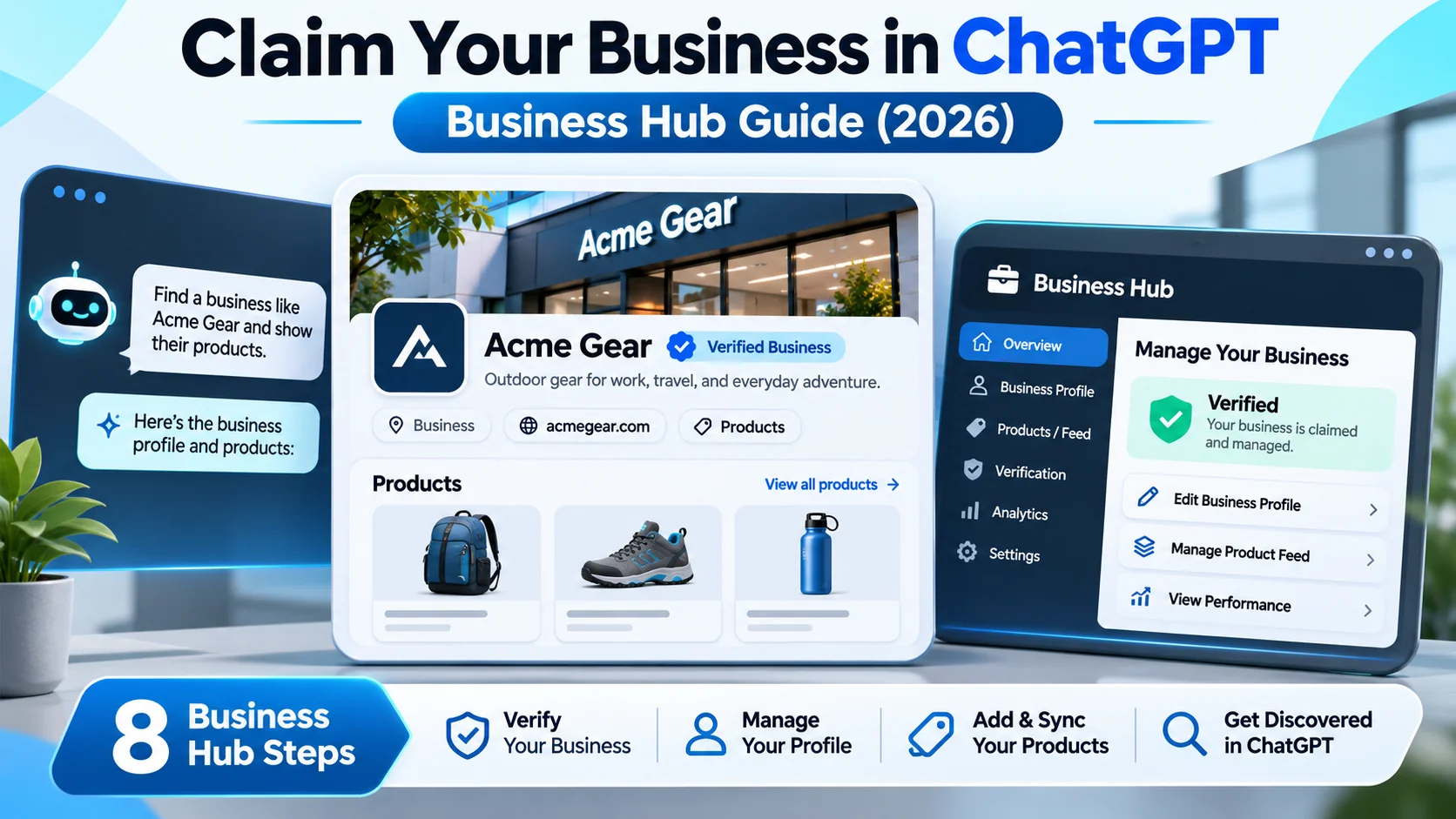
claim your business in ChatGPT: The question ‘how do I claim my business in ChatGPT?’ became especially timely when OpenAI introduced Businesses in ChatGPT in beta on November 10, 2026. Business Hub gives eligible owners and representatives a way to establish a verified presence, manage company information, add product feeds and view aggregated discovery insights. US-eligible ecommerce and online service businesses can also apply for Business Agents after required verification. This guide explains the steps, eligibility, SEO implications and the limits of what a business profile can actually guarantee.
Quick Answer
Business Hub is a management and verification tool, not a paid shortcut to first place in an AI answer. A claim can give eligible businesses more control over public details and product data. Approval of a claim and separate Persona identity verification are different steps, and Business Agents initially have narrower eligibility than general business claims.
At a Glance
| Announcement | November 10, 2026; beta |
|---|---|
| Who can claim | Eligible businesses in places where ChatGPT is available |
| Verification | Business claim approval, followed by Persona identity verification for certain management features |
| What owners can do | Manage business information and product feeds; view aggregate mentions and website-click insights |
| Business Agent availability | Eligible US ecommerce and online service companies with a website after verification |
| What is not guaranteed | No automatic ranking, referral growth, Business Agent access for every business or access to private user conversations |
Claim Your Business in ChatGPT: Business Hub vs Search Results
Before Business Hub, a website’s details could be picked up from public pages, search indexes and other sources. A Business Hub profile gives verified owners a more direct channel to keep a business identity and product information current. It does not rewrite every response, and it is not equivalent to forcing ChatGPT to recommend a company. The system still needs to answer users’ questions, weigh relevance and distinguish independent content from advertising.
A business can benefit by fixing inaccurate descriptions, broken links or outdated prices where supported. For a local service provider, even basic contact and operating details matter; for an ecommerce business, catalog feeds can improve the consistency of product names, availability and pricing. The quality of a business’s own website, customer experience and public evidence still matters.
Who Is Eligible to Claim a Business?
OpenAI says any eligible business located where ChatGPT is available can claim through Business Hub. Claiming should be done by the owner or an authorized representative, not by an unrelated agency without permission. Existing Enterprise customers and advertisers may have direct representative pathways. Shopify merchants may be able to connect a store from Business Hub or Shopify administration to streamline verification.
Business Agent creation is a separate capability with a narrower launch scope. At introduction, eligible ecommerce and online service businesses in the United States with websites can create an agent after the required verification. Do not advertise Business Agents as universally available to every country, industry or account. Eligibility can evolve; confirm it on the current Business Hub screen before planning a launch.
Step 1: Open Business Hub From ChatGPT on the Web
Sign in to the account that represents the owner or an authorized administrator. Open Business Hub through the web sidebar when it is available to your account. Work with the exact registered business name, primary website URL and reliable contact information; inconsistencies can create ownership questions later.
Do not enter sensitive customer records or payment credentials into an unverified website claiming to perform a ChatGPT listing. A legitimate workflow should be reached through the official product interface. If you are managing several client sites, obtain explicit authorization and keep each client’s verification materials separate.
Step 2: Find and Claim the Correct Organization
Use the business search or claim workflow to identify the correct organization. Match its website and legal or customer-facing name before requesting ownership. If there are duplicates or similarly named companies, gather documentary evidence and use the platform’s claim-resolution process instead of creating confusing duplicate identities.
An agency should establish who is the long-term account owner and who simply has permission to manage content. Claims may require review; approval is not the same thing as final identity verification for all features. Keep a record of the request date and any confirmation returned by the platform.
Step 3: Complete Required Identity Verification
OpenAI’s release notes describe Persona identity verification before the owner can publish certain business information updates, link feeds and view insights. Follow only the authorized verification flow and check precisely which documents are required. Avoid forwarding identity documents to a consultant or uploading them to an unrelated form.
If verification fails, review whether the business name, representative authority and account information match the supporting documents. Contact the official support route rather than creating multiple claim attempts with conflicting data. Internal ownership procedures are especially useful when a business’s website is maintained by an external agency.
Step 4: Update Name, Website, Contact and Service Details
After the relevant approval, review each editable business field. Use a concise factual description of what the company sells, where it serves customers, which audience it helps, and how people can contact the business. Use the correct legal name and a consistent branded name where permitted. Avoid stuffing keywords or writing claims such as number one in the United States unless that statement is backed by independent evidence.
Keep operating details current on the website too. A verified listing does not excuse an outdated return policy or contradictory address on the homepage. Consistency matters because users may compare the AI response with the business’s site before contacting it. Create an internal owner for quarterly profile reviews and update the profile when pricing or services change.
Step 5: Connect a Product Feed When Eligible
Business Hub supports self-service product feeds with current pricing and availability for eligible businesses. Prepare stable identifiers, accurate product names, descriptions, prices, availability and landing URLs. Do not include expired discounts or products that cannot be bought or delivered through the destination site.
Validate a sample before uploading an entire catalog. A product feed that conflicts with the visible website can frustrate customers and increase abandoned carts. If you run Shopify, check whether its supported connection is available rather than constructing a duplicate feed. For service businesses without physical inventory, do not assume a retail catalog format is the correct integration.
Step 6: Review Mentions, Clicks and Discovery Topics
Business Hub introduces aggregated insights into how a business appears in ChatGPT, including mentions, website clicks and common discovery topics where the website is cited. These are useful directional indicators, not a complete attribution ledger for all sales. Some insights are available only when sufficient interaction volume supports privacy thresholds.
Do not equate a mention with an endorsement, a profile view with a customer, or a cited website with a completed purchase. Review trends over sensible periods and compare with site analytics and customer feedback. OpenAI says business owners cannot access private user conversations or Business Agent chats through these insights. Respect that boundary when building a measurement dashboard.
Step 7: Evaluate Business Agents If Your Business Qualifies
Eligible US ecommerce and online service organizations can create, test and publish a Business Agent that helps users explore their offerings. That agent is distinct from the assistant’s independent responses. It can be used to answer supported customer questions based on business-provided information, but it should be tested with difficult queries and clear escalation rules.
Prepare accurate knowledge sources, shipping and return explanations, pricing boundaries and a way to direct visitors to real support. Ask questions about products that are out of stock and cases where the answer is not in the source material. The right behavior is to identify uncertainty rather than invent availability, product guarantees or refunds. A Business Agent must not be represented as an unbiased independent recommendation.
Step 8: Keep Business Information and AI Visibility Maintained
Schedule a monthly review of contact details, important product changes, page health and the URLs present in your feed. Fix 404 errors and preserve canonical URLs when possible. When a product is discontinued, remove it from the feed or update its status so the AI experience does not direct people to dead checkout pages.
AI visibility should complement, not replace, good SEO. Clear topical pages, structured information and useful product comparisons help answer customer questions. Do not publish dozens of near-identical pages simply to appear more often in AI responses. A helpful support article that solves a real concern is a more durable asset than a page built around an invented ranking trick.
Business Hub, Google Business Profile and SEO: Key Differences
Google Business Profile and Business Hub are separate products. Claiming one does not automatically claim or update the other. Traditional Google Search indexing, local map visibility and Business Hub profile management also have different reporting and eligibility rules. Treat each platform’s official ownership verification as its own process.
For an ecommerce brand, the operational starting point is accurate inventory and product landing pages; for a local service provider, it is consistent identity and contact details. Write site content for actual visitor questions and test whether the page explains the answer without extra jargon. No platform can guarantee a specific ranking or recommendation solely because a business owner completed a claim.
Common Mistakes to Avoid
Do not claim another business without authorization, invent a physical address, upload a misleading feed, or give an AI agent unverified promises about stock or delivery. Do not assume the aggregate dashboard exposes individual users’ prompts, and do not present Business Agent chats as if they were the assistant’s impartial answer.
Another mistake is measuring only mentions while ignoring actual customer experience. If a user clicks but leaves because the page is slow, prices are unclear or checkout fails, a new discovery channel cannot fix the underlying product or website. Tie your Business Hub work to clear data-quality goals and honest customer service.
A Practical Four-Week Business Hub Plan
During week one, identify the account owner and check claim eligibility. Week two is for completing verification and documenting approved profile fields. Week three can focus on correcting business descriptions, URLs and supported product feeds. In week four, review available aggregate insights and select two or three website improvements based on real visitor questions.
Document the dates of changes, page URLs and feed versions so the team can understand what was updated. Avoid attributing traffic shifts directly to a profile change without controlling for other campaigns and seasonality. The point of Business Hub is reliable business information and a smoother discovery experience; increased traffic is a possible outcome, not a verified entitlement.
Related Reading and Official Sources
For background on responsible AI use, read Google AI Overviews SEO guide and AI data governance checklist.
To compare tool-specific workflows, see RankPilot AI SEO audit review and LeadsGorilla local-lead research review on our separate review site.
Primary sources: OpenAI Business Hub launch and Official ChatGPT release notes. Features and eligibility above reflect those documents as checked on November 16, 2026; availability can change.
Frequently Asked Questions
Can I claim my business in ChatGPT for free?
The announcement describes claiming through Business Hub for eligible businesses. Check the live interface for current terms and any paid features; do not assume Business Agent eligibility from a basic claim.
Does claiming a business guarantee I appear first in ChatGPT?
No. Claiming does not guarantee recommendation placement, ranking or referrals.
Can businesses outside the US claim?
OpenAI says eligible businesses where ChatGPT is available can claim. Business Agents initially have narrower US-based eligibility.
Is the Business Agent the same as a normal ChatGPT answer?
No. It is a business-provided experience distinct from ChatGPT’s independent answers.
Will I see individual users’ ChatGPT conversations?
No. Business Hub insights are aggregated and privacy-protected, subject to sufficient interaction thresholds.
What if my business is already listed?
Find the matching record and use the official ownership-claim process; avoid creating confusing duplicate profiles.
Final Takeaway
This is an independent educational guide, not a hands-on test or a promise of product availability. Confirm the current official requirements before acting. Prioritize safety, accurate information and clear customer expectations over shortcuts or speculative claims about traffic and sales.