
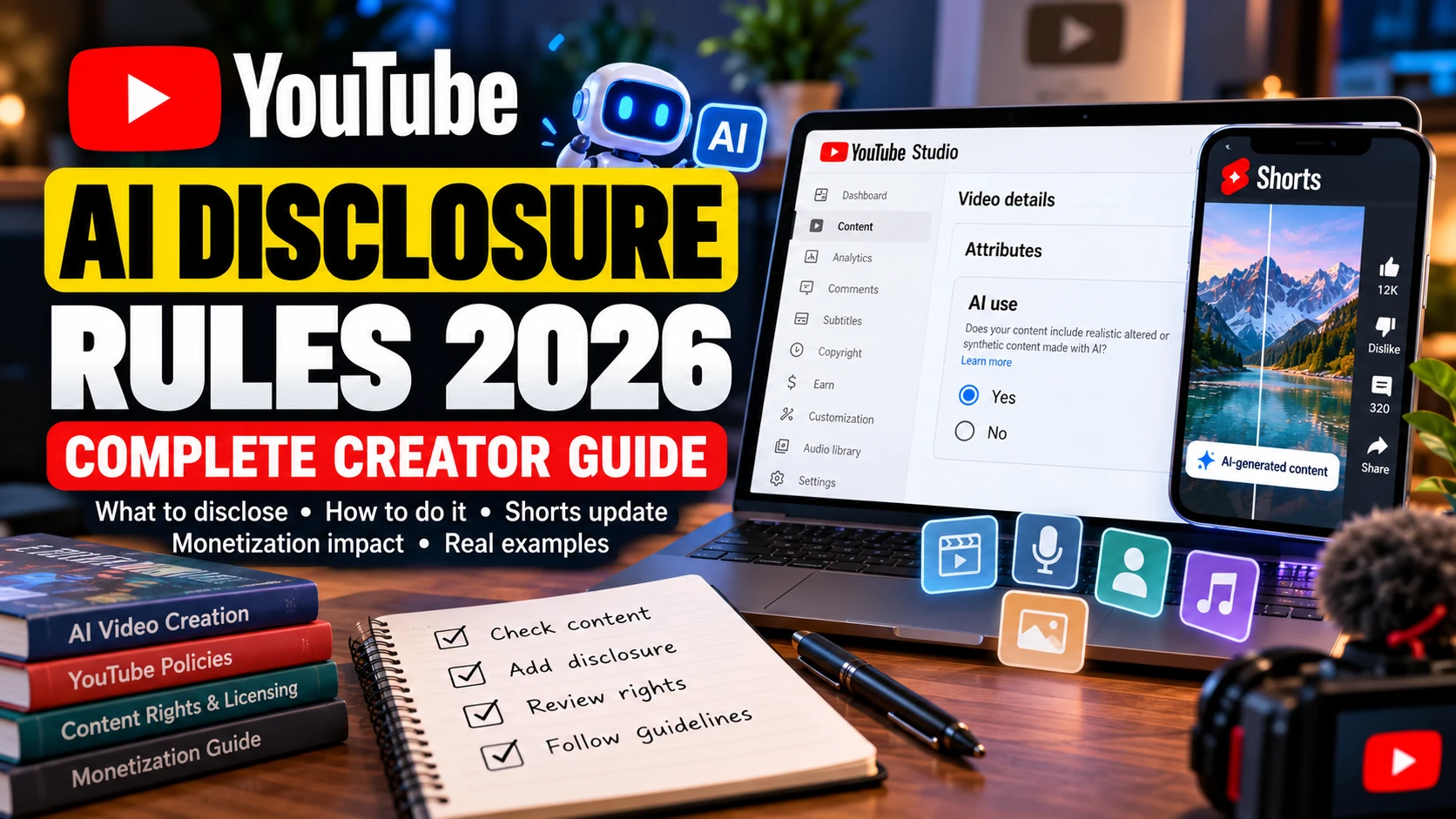
Using AI to create YouTube videos does not automatically mean every upload needs an AI disclosure label. The important question is what viewers see or hear in the finished video. If AI creates or meaningfully changes realistic content in a way that could make viewers believe something happened when it did not, YouTube may require the creator to disclose it.
Examples include making a real person appear to say something they never said, changing footage of an actual event, or generating a realistic scene that never took place. By contrast, using AI to brainstorm a script, improve captions or make ordinary editing adjustments does not automatically trigger the same requirement.
YouTube also announced important label changes on May 27, 2026. Labels for qualifying content are becoming more visible, and the platform is expanding automatic detection of certain AI-generated material.
This guide explains which videos need disclosure, which common AI-assisted workflows generally do not, how to use YouTube Studio’s disclosure setting, and why disclosure, copyright and monetization must be considered separately.
What Are YouTube’s AI Disclosure Rules?
YouTube’s disclosure policy is intended to give viewers context when realistic content has been meaningfully altered or generated with AI.
The main concern is whether a video could mislead viewers about the authenticity of a person, place, event or other realistic scene. A completely fictional fantasy animation is different from a realistic video that appears to document a genuine event.
According to YouTube’s official AI disclosure requirements, creators must disclose qualifying content such as:
- A video that makes a real person appear to say or do something they never said or did.
- Footage of a real event or place that has been meaningfully altered.
- A realistic scene showing an event that never actually happened.
- AI-generated music covered by YouTube’s disclosure guidance.
The requirement is not limited to videos made entirely with AI. A short generated scene inserted into an otherwise authentic recording can still require disclosure if it meaningfully changes what viewers believe happened.
Realism and meaningful changes matter
Consider a travel creator filming a real beach. They add an AI-generated, photorealistic scene showing a surfer riding a huge wave that never occurred. Viewers could reasonably interpret the inserted scene as genuine footage, so the creator should assess it against YouTube’s disclosure requirements.
Now imagine the same creator uses AI to improve brightness, correct colors or repair audio. These changes do not necessarily alter the underlying event.
Both workflows involve AI, but their effect on the viewer is different. The useful question is not simply whether an AI tool was used. It is whether the finished content creates a realistic impression that materially changes what viewers think happened.
Which AI-Generated Content Requires Disclosure?
The following examples help explain the distinction. They are practical illustrations, not an exhaustive list of every possible situation.
Realistic events that never happened
A creator publishes a documentary-style video showing a tornado approaching a recognizable American city. The footage looks like a real news recording, but the entire scene was generated.
The video presents a realistic event that did not happen. This is the type of synthetic content for which disclosure is important.
Similar concerns can arise with fabricated footage of accidents, disasters, public gatherings, conflicts or other events that viewers might mistake for genuine recordings.
A fictional story is not automatically a problem. The concern is presenting realistic fabricated material in a way that makes it appear authentic.
AI-generated footage of real people
Suppose a creator generates a video showing a public figure giving an interview they never gave. Another example would be making a recognizable person appear to endorse a product or admit to something they never did.
These situations can require disclosure because AI has created a misleading representation of a real person.
Adding a fictional disclaimer or selecting the AI disclosure setting does not automatically make the use acceptable. Permission, privacy, identity and impersonation concerns must be assessed separately.
AI-generated footage of real places
AI video tools can create convincing images of landmarks, streets, buildings and other recognizable locations.
For example, a travel video might include a photorealistic aerial shot of a landmark that the creator never filmed. If the generated footage appears to show a real scene that did not occur, the creator should assess whether disclosure is required.
It is useful to identify generated clips during editing rather than trying to remember their origin at the upload stage.
AI-generated music
Music needs separate attention because YouTube specifically addresses AI-generated music in its disclosure guidance.
Creators making music-focused videos should check the current YouTube and YouTube Music instructions rather than assuming that every type of AI-assisted audio is treated identically.
There is also an important difference between generating a musical track and using AI to repair an existing recording. Audio enhancement does not automatically have the same disclosure implications as creating music.
An AI disclosure label is not proof that the music is copyright-free or licensed for commercial use. The creator must still check the relevant rights.
When Is AI Disclosure Not Automatically Required?
YouTube distinguishes realistic synthetic content from clearly fictional material, minor aesthetic changes and ordinary production assistance.
Using AI somewhere in the production process does not automatically mean a creator must select the disclosure option.
AI-assisted scripts, outlines and ideas
Creators can use AI tools to:
- Brainstorm video topics.
- Organize research notes.
- Prepare a video outline.
- Improve grammar and sentence structure.
- Draft or refine a script.
- Suggest titles and descriptions.
- Develop an infographic concept.
These production tasks do not, by themselves, create the same disclosure requirement as realistic synthetic footage.
For example, a technology educator might use an AI writing assistant to organize a cybersecurity lesson, then record the explanation in their own voice using authentic screen recordings. The use of AI for planning and writing alone does not automatically require a realistic-content disclosure.
The finished video still needs to be assessed independently. An AI-assisted script does not excuse a fabricated scene or misleading visual.
Minor editing and visual improvements
YouTube’s examples of changes that generally do not require disclosure include:
- Beauty filters.
- Color correction and lighting adjustments.
- Background blur and similar visual effects.
- Caption creation.
- Video sharpening, upscaling and repair.
- Voice or audio repair.
- Other routine production assistance.
These changes generally improve presentation without meaningfully changing what happened.
However, an edit that creates a false impression about a real person or event should not be treated as an ordinary aesthetic adjustment.
Clearly fictional animation
An animated dinosaur telling a bedtime story is obviously different from photorealistic footage claiming that dinosaurs appeared in a modern city.
Clearly unrealistic or fantastical content generally does not require the same creator disclosure simply because AI helped produce it.
Animation is not a universal exemption, though. A video can combine fictional animation with realistic synthetic footage of a real person, location or event. Evaluate the realistic elements separately.
Cloning your own voice
YouTube lists cloning your own voice for voiceovers or dubbing among production-assistance examples that do not automatically require disclosure.
Cloning another recognizable person’s voice is a different matter, particularly when the generated audio makes that person appear to say something they never said.
Creators should obtain appropriate permission before reproducing another person’s voice. For a broader discussion of permission and usage rights, see our AI voice cloning consent and rights guide.
What About AI Voices and Faceless YouTube Channels?
A faceless channel can use AI-written scripts, synthetic narration, stock footage, generated images and automated editing. The fact that the creator never appears on screen does not determine whether disclosure is required.
Consider two different channels.
The first publishes original educational videos using AI-assisted writing, licensed stock footage, ordinary editing and narration. It does not necessarily depict a fictional real-world event simply because AI helped with production.
The second publishes news-style videos containing photorealistic AI footage of incidents that never happened. Viewers may interpret those scenes as genuine recordings, so the creator needs to assess the disclosure requirement.
The important distinction is the final content, not whether a channel is described as faceless, automated or AI-powered.
Creators should also check their rights to stock footage, images, music and voices. Our AI-generated images copyright guide discusses some of the separate ownership and likeness questions involved in using generated visuals.
How to Disclose AI Content in YouTube Studio
YouTube provides an AI use setting as part of the upload process. The Help Center describes it as available through YouTube Studio on desktop and mobile devices.
For a video that meets the disclosure requirements:
- Open YouTube Studio and begin uploading the video.
- Complete the usual upload information.
- Find the Attributes section.
- Locate the AI use setting.
- Select Yes when the finished content meets YouTube’s disclosure requirements.
- Select No when it does not meet those requirements.
- Review the remaining video details and complete the upload process.
The exact appearance and arrangement of Studio controls can change. Follow the current interface rather than relying on an old screenshot or instructions for a previous version.
Review mixed-media videos carefully
A video does not become exempt simply because most of its footage is authentic.
Imagine a ten-minute travel guide containing real recordings, an AI-generated narrator and several photorealistic shots of locations that were never filmed. The creator should assess the synthetic elements individually rather than deciding that the video is mostly real.
For collaborative productions, it can also be useful to keep a simple record of which clips were generated, who supplied the original material and what permissions apply. This is a practical production habit, not a separate recordkeeping requirement created by the AI disclosure setting.
What Changed in YouTube’s May 2026 AI Label Update?
On May 27, 2026, YouTube announced changes intended to make AI labels more visible to viewers and improve the detection of certain AI-generated material.
The announcement described two main developments.
Labels are more visible on long-form videos and Shorts
For qualifying photorealistic and meaningfully AI-altered or generated content, YouTube announced a more prominent label position.
- Long-form videos: the label is placed directly below the video player, above the description.
- Shorts: the label appears as an overlay on the video itself.
The change makes disclosure information easier to notice without requiring viewers to expand a description.
This does not mean every video created with AI receives the same prominent label. YouTube distinguishes qualifying realistic material from content that is unrealistic, animated or only slightly altered. Some disclosure information may appear in the expanded description instead.
YouTube is expanding automatic AI detection
YouTube also announced the introduction of additional internal signals to help identify significant photorealistic AI use.
If a creator has not provided the relevant information but YouTube’s systems detect qualifying material, the platform may apply a label automatically.
YouTube’s Help Center also describes automatic labeling in connection with content made using its own generative tools, content containing C2PA metadata and other AI-generated or altered material detected by its systems.
Automatic detection should not be treated as a replacement for creator responsibility. It does not guarantee that every synthetic scene will be identified correctly.
Can creators correct an automatic label?
In many cases, creators can review an automatically applied label and correct the disclosure information through YouTube Studio.
However, some labels cannot be changed by the creator. YouTube identifies specified cases involving its own AI tools, C2PA metadata indicating fully AI-generated content, and labels applied following manual review.
If a creator believes a label is incorrect, the appropriate first step is to review the notification and the video’s disclosure information in Studio. The available correction options depend on why the label was applied.
Does AI Disclosure Affect YouTube Monetization?
YouTube states that an AI disclosure label alone does not change a video’s recommendation treatment or its eligibility to earn money.
That does not mean every AI-generated video is automatically eligible for monetization. Disclosure is only one part of a creator’s responsibilities.
A video can be correctly labeled and still have other problems.
For example, a channel that publishes large numbers of nearly identical videos with little original value may encounter issues under YouTube’s monetization rules for repetitive or mass-produced content. Unlicensed music, misleading impersonation and other policy violations can also create separate problems.
Creators should evaluate three areas independently:
- Disclosure: Does the finished video meet YouTube’s criteria for AI-use disclosure?
- Rights and permissions: Are the footage, music, images and voices properly licensed or authorized?
- Monetization: Does the channel and its content meet the relevant YouTube Partner Program and advertising policies?
Passing one check does not automatically satisfy the others.
What if you use PLR videos or purchased assets?
Private Label Rights and other licenses can permit certain uses of supplied material, but the exact terms vary from one product to another.
A purchased video pack might allow editing and publishing while restricting redistribution, resale or transfer of the original files. Even a valid license does not guarantee that a channel will meet YouTube’s monetization requirements.
Before building a channel around supplied content, review our guide to PLR video rights and YouTube monetization.
Creators using generative video tools should also understand the cost of repeated generations, revisions and failed outputs. Our AI video credits guide explains how to estimate the cost of usable finished videos rather than relying only on advertised credit balances.
A Practical Checklist Before Publishing an AI-Assisted Video
Before uploading, review the finished video rather than relying only on how it was created.
- Identify generated material: Note which scenes, voices, music tracks or visual elements were generated or meaningfully altered.
- Check realistic representations: Look for recognizable people, real locations and believable events that may not have happened.
- Separate production assistance from synthetic scenes: An AI-assisted script is different from a realistic fabricated interview.
- Review the disclosure setting: Use the appropriate AI use selection in YouTube Studio when required.
- Confirm permissions: Check rights for music, footage, images, recordings and recognizable voices.
- Review the presentation: Make sure the title and thumbnail do not misleadingly present fictional material as verified real-world footage.
- Keep useful records: Retain relevant licenses, permissions and notes about generated material.
The purpose is not to label every technological improvement as synthetic media. It is to provide viewers with accurate context when AI meaningfully changes what they might believe is real.
Frequently Asked Questions
Do I need to disclose a video written with ChatGPT?
Not merely because ChatGPT helped write the script. YouTube treats ordinary production assistance, such as generating ideas or improving an outline, differently from realistic synthetic content. Assess the finished visuals and audio separately.
Do all AI-generated videos need a disclosure label?
No. The requirement depends on the nature of the finished content. Qualifying realistic AI-generated or meaningfully altered material needs disclosure, while clearly fictional content and many routine production tasks generally do not.
Can YouTube apply an AI label if I selected No?
Yes. YouTube may apply labels through its own detection systems or review processes in certain situations. Many incorrect labels can be corrected through Studio, although some are not editable.
Will an AI label reduce my views?
YouTube says the label alone does not change how a video is recommended. This is not a guarantee of a particular video’s performance. Audience interest, viewing behavior and content quality still matter.
Does disclosing a cloned celebrity voice make it acceptable?
No. Disclosure explains that content is synthetic; it does not provide permission to use someone’s voice or likeness. Consent, impersonation and other rights concerns must be considered separately.
Does an AI disclosure label prove that I own the content?
No. The label communicates information about AI use. It does not establish copyright ownership, commercial-use rights or permission to use third-party material.
What should I do if I edit a video after uploading it?
Review the revised version and check whether its disclosure remains accurate. If the changes introduce new realistic synthetic material, reassess the video against YouTube’s current requirements rather than assuming the earlier selection covers every future edit.
Conclusion
YouTube’s AI disclosure rules are intended to improve transparency around realistic synthetic content, not to prevent creators from using AI in ordinary video production.
Creators can use AI for research, writing, captions, editing, animation and many other tasks. The important distinction is whether the finished video includes realistic generated or meaningfully altered material that viewers could mistake for something genuine.
The May 2026 changes made qualifying labels more visible and expanded YouTube’s ability to identify certain AI-generated content automatically. Creators should still make accurate disclosure decisions themselves and treat copyright, consent and monetization as separate responsibilities.
A careful review before uploading helps creators use AI productively while giving viewers the context they need.