
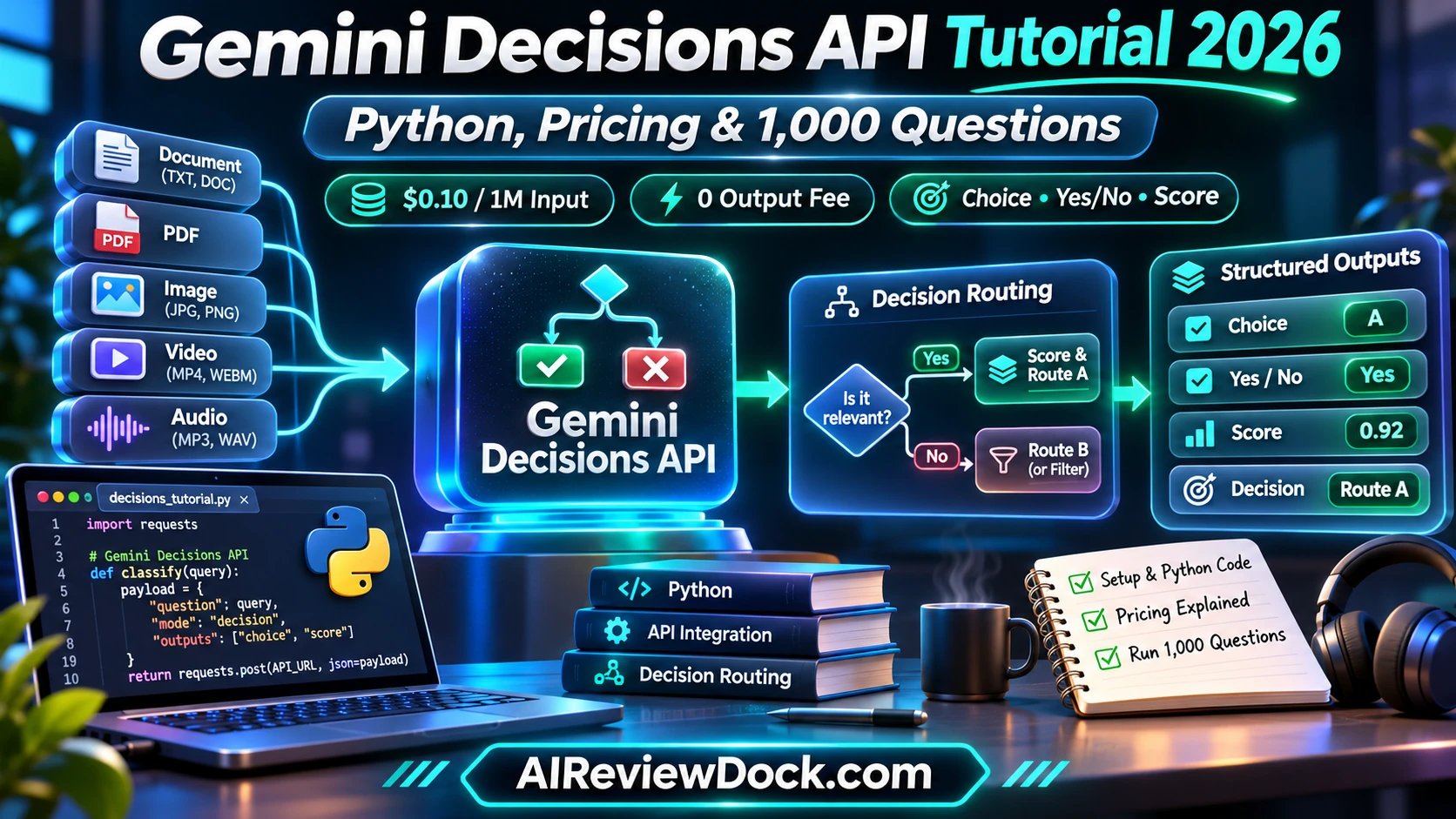
Gemini Decisions API tutorial — This Gemini Decisions API tutorial explains Google’s new Gemini Decision 1 endpoint, launched on November 11, 2026 for fast choices instead of open-ended text generation. Developers pass a shared text, image, audio, video or PDF input and ask up to 1,000 closed-set questions in one request. Rather than write paragraphs, the service returns probabilities for yes/no checks, option selection or ordinal rubric scores. Google lists $0.10 per million input tokens and zero output-token charges, which makes it useful to evaluate for agent routing, moderation triage and structured business decisions.
Updated November 14, 2026. We wrote this guide using official launch information and our own calculations. We have not tested the new model or API with a paid account, so we clearly label vendor claims and access limits. Prices are subject to change.
Gemini Decisions API tutorial: quick answer and key facts
| Topic | Details |
|---|---|
| Model | gemini-decision-1 |
| API family | Gemini Decisions API via Google AI Studio |
| Input context | Up to 256K tokens across supported modalities |
| Question count | Up to 1,000 independent questions per request |
| Choices | Two to 255 candidate options for choice questions |
| Billing | $0.10 per one million input tokens, $0 output |
| Latency | Vendor reports about 150–250ms end-to-end for supported cases |
| Availability | API no-cost tier for prototyping, subject to terms and quotas |
What is Gemini Decisions API and who needs it?
First, this Gemini Decisions API tutorial explains Google’s new Gemini Decision 1 endpoint, launched on November 11, 2026 for fast choices instead of open-ended text generation. Developers pass a shared text, image, audio, video or PDF input and ask up to 1,000 closed-set questions in one request. Rather than write paragraphs, the service returns probabilities for yes/no checks, option selection or ordinal rubric scores. Google lists $0.10 per million input tokens and zero output-token charges, which makes it useful to evaluate for agent routing, moderation triage and structured business decisions.
Above all, the decision starts with one concrete task. A headline price or benchmark gives you a starting point. However, it cannot show whether your own requests work well, stay affordable or remain easy to maintain. Separate access through an app subscription from metered API access and inspect the vendor documentation for updates.
Seven capabilities of Gemini Decisions API, explained
1. A bounded decision is not a generated essay
In contrast, traditional chat models decode an answer one token at a time. The Decisions API scores a supplied set of candidate outcomes instead. This is appropriate when the system must choose between known routes, flag an issue or grade a rubric, but it does not replace a generative model for writing explanations or proposing unknown solutions.
2. One multimodal input, many questions
In addition, Google says a request can include text, image, audio, video or PDF content with multiple questions about that shared input. The application does not need to resend the document separately for every question within the same call. This could help a quality-inspection workflow ask about completeness, risk and next action without multiple round trips.
3. Yes/no checks with confidence
For example, the yes/no form estimates whether a condition holds. For instance, a document intake system might ask whether an invoice has an identifiable supplier and visible total. The probability is a model assessment, not proof; deploy a human review path when confidence is low or the decision is legally sensitive.
4. Multiple-choice routing
Similarly, choice questions compare named candidate routes with descriptions of when each applies. An agent could choose between answering directly, searching a knowledge base or escalating to staff. The quality of this workflow depends on unambiguous option definitions and a fallback category for cases that fit none of the available routes.
5. Ordered rubric scores
Meanwhile, a score question maps the evidence to an ordered set of descriptions. This is different from asking for an arbitrary numerical sentiment label. Write anchored descriptions for each level, and calibrate output against examples labeled by qualified reviewers.
6. Zero output-token billing does not mean zero cost
However, Google advertises no output-token charge for the Decisions API, but shared input and question instructions still consume billable input tokens. Large PDFs, rich media and many questions can increase the token count; free-tier availability should not be mistaken for unlimited production volume.
7. Practical latency and reliability tests
Still, the published 150–250ms end-to-end estimate is a vendor claim under its described conditions. Network distance, media size, concurrency and rate limits can change actual timings. Run a representative batch, log response status and confidence, and compare against a deterministic rules baseline.
Gemini Decisions API tutorial: practical seven-step setup and testing guide
To begin, the steps below offer a repeatable way to test the product. We have not bought access or run our own benchmarks. Keep a baseline, record assumptions and use non-sensitive inputs until permissions and privacy terms are understood.
Step 1: Define the allowable outputs
First, list concrete decisions such as ‘send to finance’, ‘request missing details’ or ‘escalate to a reviewer’. Avoid overlapping labels and include a safe fallback route.
Step 2: Build a small labeled test set
Next, create at least twenty synthetic or appropriately consented records with the correct route selected by a human. Split easy, ambiguous and adversarial examples.
Step 3: Create an API key in Google AI Studio
Then, use a restricted key that you store in an environment variable. Install the current google-genai client and confirm the model and endpoint are available to your project.
Step 4: Write a basic Python decisions request
After that, send a short text input and a choice question with clear candidate criteria. The example below follows the vendor’s public SDK pattern but is illustrative and we have not run it with a real API key.
from google import genai

client = genai.Client(http_options={"api_version": "v1beta"})

result = client.decisions.create(
    model="gemini-decision-1",
    input=[{"type": "text", "text": "I need an invoice copy."}],
    questions={
        "route": {
            "type": "choice",
            "instructions": "Route this support request.",
            "criteria": {
                "billing": "Invoices, payments and refunds",
                "technical": "Bugs, access and account errors",
                "general": "Questions not covered above"
            }
        }
    }
)

print(result)
Moreover, the example follows the request format in Google’s documentation; SDK versions and availability may change. Run it only after creating your own approved API credentials and check the latest vendor examples before deploying.
Step 5: Inspect probabilities rather than only the winner
However, persist the chosen route and relevant confidence values. If the top two options are close, direct the item to manual review rather than treating uncertain classification as final.
Step 6: Estimate input-token spend
Next, multiply total billable input tokens in millions by $0.10. Add retries and any separate downstream LLM model charges. Zero output billed by this endpoint does not cover a later generative answer.
Step 7: Deploy with privacy controls
Finally, remove unnecessary personal identifiers, define permitted media types and log only required diagnostic data. Test resilience to unexpected content and human override before applying decisions in production.
Gemini Decisions API tutorial: cost examples and limitations
For example, these numbers use public list prices. They show example costs, not charges from our own account. Taxes, regional differences, rate tiers, media processing, retries and downstream tools can alter a bill. Model output quality also affects the real cost of a completed job.
| Workload | Estimated amount | How to interpret it |
|---|---|---|
| 1M input tokens | $0.10 | Decision API input charge; outputs $0 |
| 5M input tokens | $0.50 | Illustrative usage at listed rate |
| 20M input tokens | $2.00 | Excludes downstream API calls |
| 100K input tokens | $0.01 | Well suited to a small engineering test |
| Output token charge | $0.00 | Output billed at zero by vendor |
| No-cost tier | Quota-dependent | Available for prototyping, not unlimited |
Where Gemini Decisions API fits in a real workflow
Support inbox routing
For instance, ask a choice question about whether a message is billing, technical support, cancellation or unsafe content. Escalate uncertain cases, especially cancellations and disputed charges.
Document intake triage
Similarly, use a scanned, permitted PDF and ask whether necessary pages and signatures appear. A positive score is not a legal validation; professionals must review consequential documents.
AI agent tool selection
Likewise, choose a next tool only among preapproved capabilities, with a low-confidence fallback. Do not let the decision layer invent new privileges or authorize purchases.
Mistakes and safety checks before production
- Do not confuse consumer subscriptions, API billing and third-party platform quotas.
- Avoid trusting vendor benchmark numbers as an independent evaluation of your own workload.
- Use access-controlled API keys, least-privilege tool scopes and a way to revoke credentials.
- Keep a human approval step for irreversible, financial, security or high-stakes decisions.
- Track failed requests, retries and output quality rather than counting only successful API responses.
- Recheck pricing, eligibility and limits before moving from a prototype to a paid production workload.
Therefore, when testing a new feature, change one parameter at a time and preserve a rollback. Publishing a confident-looking result without reviewing the underlying inputs is a risk whether the model is inexpensive or state of the art.
Alternatives and related reading for Gemini Decisions API
For related AIReviewDock.com technical guides, read no-code AI agent build guide and API token pricing explainer. These cover adjacent concepts without duplicating this new product announcement.
On the other hand, if you are evaluating commercial software rather than the underlying APIs, our separate AIReviewDock.online site has buyer-oriented articles such as Click Action AI review and SuperPlug AI integration review. Those are different products, not replacements for the feature explained here.
Gemini Decisions API tutorial: frequently asked questions
How much does Gemini Decisions API cost?
In short, the listed developer rate is $0.10 per million input tokens, with no output-token fee. Verify the current Google pricing page.
What is the Gemini Decision 1 model ID?
Google’s announcement names gemini-decision-1.
Can I ask 1,000 questions in one request?
Also, Google advertises up to 1,000 independent questions about one shared multimodal input; check actual API quotas and payload restrictions.
Can it generate an article or email?
Google designed it for fixed-choice decisions, not open-ended writing. Use a generative model for writing.
Can it analyze PDFs and video?
In addition, Google lists text, images, audio, video and PDFs as supported input types, with context and resolution constraints.
Are confidence scores guaranteed accurate?
No. They are model estimates, so you should check them against examples that people have labeled.
Is a free tier available?
However, Google advertises a no-cost API path for prototyping subject to eligibility and service limits.
Verdict: is Gemini Decisions API worth trying?
Overall, Gemini Decision 1 could be a cost-efficient control layer for fixed-choice workflows when the task does not require free-form writing. Its clearest value is routing and triage with defined candidates. Start with a labeled validation set and a human fallback, then compare latency, cost and error rates against a simple rules engine.
For this reason, before investing in a migration, keep a working baseline and check the current official documentation. An announcement can attract attention quickly. However, long-term value depends on the task, access, clear billing and results you can check.
Official sources and editorial method
Finally, first-party resources checked November 14, 2026: Google’s official Gemini Decisions API introduction and Gemini Developer API pricing documentation. This guide includes original workflow suggestions and illustrative calculations, not a claimed independent benchmark.