
AI incident response plan template (2026): When an AI assistant leaks confidential information, an automated agent performs an unintended action or an unchecked output causes harm, teams need a clear sequence: report, triage, contain, investigate, communicate and recover. In addition, this practical guide includes a first-72-hourplan, severity examples and copy-ready incident report fields.
Updated November 19, 2026. This is educational operational guidance, not incident-specific legal, regulatory or forensic advice.
What counts as an AI incident?
An AI incident response plan template is a reusable playbook for detecting, documenting, containing and learning from harmful or unexpected behavior involving an AI system. An incident might be a confidential document submitted to an unapproved model, a customer-facing chatbot revealing private information, an AI agent performing an action it was not authorized to take, or a model producing a high-impact error that escaped normal review.
However, not every inaccurate AI sentence is a reportable security incident. Therefore, teams need a way to distinguish ordinary quality defects, near misses, privacy events, security incidents and potentially serious harms. That classification should consider the system, people affected and actual consequences, not the drama of the output.
NIST’s AI RMF Manage playbook includes monitoring, incident response, recovery and change management within AI risk management. Moreover, this guide adapts those general ideas into a practical plan for small teams. It does not provide legal advice or a universal statutory notification deadline.
The five incident types a small team should recognize
1. Sensitive-data exposure. An employee uploads customer records, internal source code or confidential contracts to an unauthorized system. The key questions are what data was shared, with whom, how it is retained and whether access can be limited.
2. Prompt-injection or agent misuse. A connected AI application follows instructions hidden in an untrusted file, website or message and attempts to perform an unintended action. Investigate both the untrusted content and the permissions the application actually held.
3. Incorrect high-impact output. An AI assistant invents a material fact that is then used in a financial, employment or customer decision. The response may require correcting a decision and notifying affected people even if no cyberattack occurred.
4. Model or workflow degradation. A vendor silently changes a model version, a retrieval source becomes stale or an automation begins producing consistently wrong results. Repeated failure can become an incident when material harm is likely or has occurred.
5. Unauthorized content or impersonation. A system publishes synthetic media or messages that misrepresent a person, violate rights or create a false customer communication. Preserve the relevant publication and permissions while preventing further spread.
Moreover, these categories overlap. For example, A prompt-injection event could also cause a data leak; a degraded model could create bad decisions. The record should capture every relevant effect rather than forcing a single label to explain the entire incident.
Prepare before the first incident: owners and controls
In addition, a response plan fails if nobody knows who can disable a system or contact the vendor. First, assign a response lead, a technical owner, a business owner and a privacy or legal contact. In a small company, one person may fill several roles, but the responsibilities should still be explicit. Document emergency contacts and an alternative communication channel in case the affected service is unavailable.
Next, create a basic AI system register containing service name, provider, approved purpose, account owner, data sources, integrations, logging location, available emergency controls and vendor support route. Then, keep access to sensitive details restricted. An incident involving a tool that nobody has inventoried is slower to investigate and harder to contain.
Then, decide in advance which actions the response lead may take: pause an agent, revoke a token, switch off a public chatbot, remove a published output or activate a manual workflow. For example, for high-impact systems, rehearse these controls using a safe test environment. Do not wait until an incident to discover that the only administrator is unavailable.
For background on the data records a business should maintain, see our AI Data Governance guide.
AI incident severity: a practical triage matrix
For example, early containment may reduce the impact of an unintended agent action. However, legal and contractual deadlines depend on the circumstances of each event.
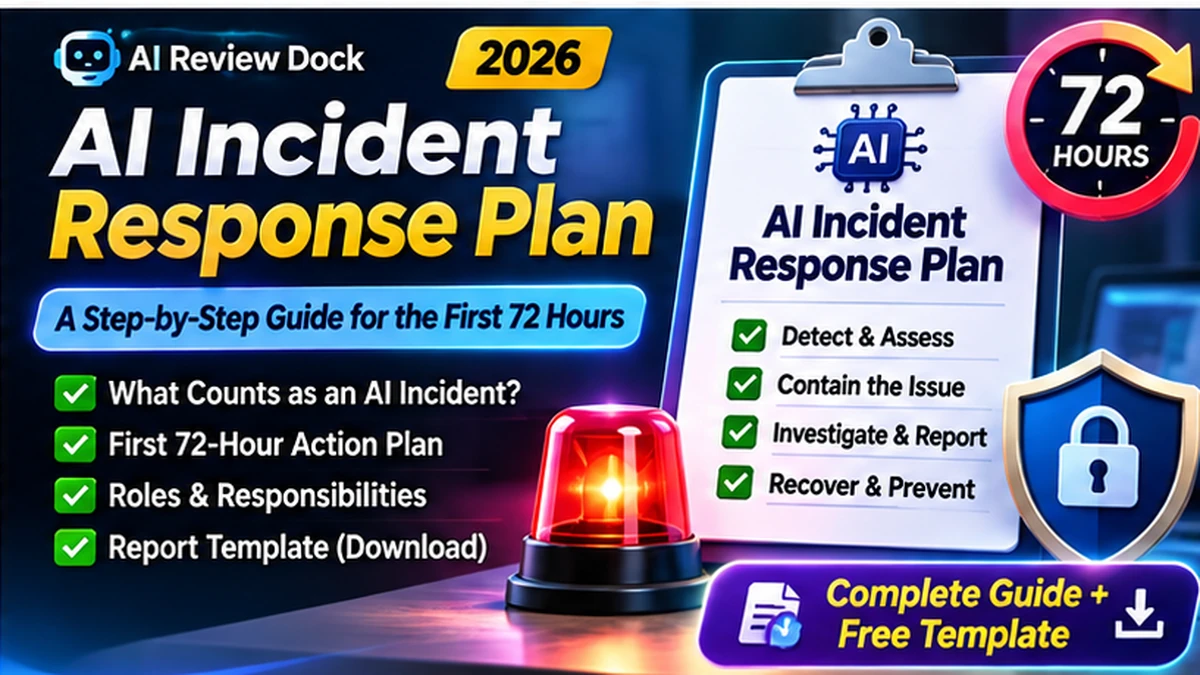
Moreover, a simple triage system prevents every typo from becoming a crisis while ensuring genuinely harmful events are escalated. However, the following levels areeditorial examples, not official legal categories. Your actual thresholds should match the organization’s safety, privacy and business-continuity requirements.
| Level | Illustrative trigger | Immediate priority |
|---|---|---|
| Low | Incorrect internal draft caught before use | Log and correct; review repeated failures |
| Moderate | Customer-facing mistake with limited reversible effects | Pause relevant output; assign owner; correct |
| High | Possible sensitive-data exposure or agent action outside authority | Contain access; preserve evidence; involve security/privacy |
| Critical | Material ongoing harm to people or systems | Activate leadership, specialists and emergency procedures |
However, reclassify when new information emerges. For instance, early reportsare often incomplete. Record what is known, what is suspected and what remains unverified. That separation helps prevent speculation from becoming a permanent incident narrative or an unsupported public claim.
First 15 minutes: stabilize and preserve facts
First, when someone reports an AI incident, acknowledge the message and identify whether the behavior is still happening. For example, if an agent continues making unauthorized changes or sending messages, an authorized owner should stop or restrict the affected workflow as safely as possible. The first priority is preventing additional harm, not proving who caused the error.
Next, capture a compact factual record: timestamp and time zone, reporting person, system or vendor, observed behavior, affected task, accounts or data involved and whether the event is ongoing. Next, preserve screenshots, relevant logs or outputs using approved secure storage. Avoid posting confidential prompts into open team chats to explain what happened.
In addition, if a security compromise is suspected, involve the security incident owner promptly. However, do not delete evidence or casually reset systems without considering how investigation and recovery will be affected. The team may need to isolate integrations, rotate compromised credentials and preserve copies of relevant configurations.
However, the guidance here is a planning aid, not an instruction to perform forensic actions without authorization. Therefore, the specific containment action depends on what the system can do and what other business processes rely on it.
First hour: decide who needs to act
Next, the response lead should establish whether the event is a product defect, an unauthorized action, a privacy concern, an information-security issue or a combination. Next, identify the potential affected population and business impact. Ask the technical owner which permissions the AI service had and whether logs can reconstruct actions.
For a vendor-operated tool, open a support or security case and record the case number, vendor response, requested remediation and unresolved questions. Then, ask about processor and subprocessor involvement, data retention and whether other accounts may be affected. Do not assume the vendor can delete information or reverse actions instantly; obtain a written explanation.
Afterwards, determine whether legal, privacy, contractual or sector-specific notification requirements may apply. For example, some situations require prompt reporting, butthe deadlines depend on the facts and jurisdiction. Consult the relevant specialist rather than adopting a single deadline from a generic blog post. Keep a restricted decision log explaining why an escalation or notification was made or deferred.
First 24 hours: investigate and correct
First, map the sequence of events: input received, model or agent behavior, tool calls, external effects, human review points and actions taken after discovery. Next, compare actual behavior with the approved usecase. Was the model given too much authority? Did a retrieved document contain hostile instructions? Did an operator act on an unverified answer?
Meanwhile, preserve enough evidence for a reliable account without copying or spreading more confidential material than necessary. Then, record log locations and access permissions. If output was sent to customers, identify what correction can be issued and who approves it. Avoid speculative explanations or premature attribution in customer communications.
Moreover, check for similar failures in related workflows. For example, A single wrong response may indicate a stale knowledge base, missing approval control or broad integration permission. Fixing only the visible example can leave the underlying risk untouched. Consider restricting a feature until the root cause is understood and a safe alternative is available.
OWASP’s LLM risk categories, including prompt injection and sensitive-information disclosure, can help a team consider plausible technical failure modes. However, they should guide investigation, not replace evidence about what actually happened.
Hours 24–72: recover and validate the workflow
Afterwards, recovery should be controlled. Before restoring an AI assistant or agent, confirm that the immediate source of harm has been addressed and permissions are appropriate. Run relevant test cases with synthetic data. Review model settings, tool integrations, account scopes, prompts, retrieval sources and approval steps. Assign an owner who can authorize production reactivation.
In addition, if the incident involved inaccurate customer information, confirm that corrections were sent through an approved channel and that operational records reflect the final decision. If credentials were involved, follow the organization’s credential response procedure. If the vendor changed a model or data practice, document what changed and whether the current contract still supports the task.
Finally, monitor for recurrence and new adverse effects. For instance, A short validation period may be appropriate for low-risk workflows; more consequential systems may require staged reinstatement and independent review. Define what evidence is sufficient to close the immediate response. Keep the lessons-learned process separate from assigning blame to an individual.
Ultimately, at the end of the first 72 hours, the team should be able to describe the known facts, actions taken, current state, remaining uncertainty, affected people or systems and next owners. Nevertheless, the event may still be open. The 72-hour structure is a workflow aid, not a promise that every incident must be legally resolved in that period.
Copy-ready AI incident response plan template
Next, the following is an original, reusable internal plan. Replace bracketed roles and contacts, align it with existing security and privacy procedures, and have qualified professionals review it where necessary.
[Company] — AI Incident Response Plan
Owner: [role] | Version: [1.0] | Effective: [date] | Next review: [date]Scope: All approved or unapproved AI systems used for company work, including chatbots, agents, AI features in existing platforms and connected applications.
Report: Employees and contractors report suspected AI-related harm, unintended actions, data exposure or material inaccuracies to [contact/channel]. Reports must include time, system, observed behavior and immediate concerns.
Triage: [Response lead] assigns a provisional severity based on impact, continuing harm, sensitivity of data and affected people. Escalate security, privacy and legal questions to [roles].
Containment: An authorized owner pauses or limits affected AI workflows, integrations or outputs when needed to reduce ongoing harm, while preserving relevant evidence.
Investigation: Record facts, timeline, inputs, permissions, model or vendor changes, human review and external effects. Distinguish evidence from assumptions.
Communication: [Communications owner] approves updates to affected parties, customers, regulators or vendors where appropriate. Legal deadlines and obligations are assessed for the specific event.
Recovery: Restore the workflow only after corrective controls are validated and [responsible owner] approves the change.
Review: Document cause, consequences, actions, owners, due dates and tests for recurrence. Update related policy, training and vendor controls.
In addition, make the plan accessible even if the affected AI system is unavailable. For example, at least one person should know how to find the emergency contact list and deactivate an agent without relying on the same tool that is malfunctioning.
AI incident report form: fields to copy
For example, use a secure form or incident ticket for the initial report. In other words, the goal is a reproducible timeline without unnecessary exposure of sensitive information. Keep the record restricted to the relevant response roles.
| Field | What to record |
|---|---|
| Incident ID | Unique reference such as AI-2026-001 |
| Reported at | Date, time and time zone |
| Reporter/contact | Role and a safe follow-up method |
| System/vendor | Tool, version, environment, account owner |
| Observed behavior | Specific facts, not assumed causes |
| Data involved | Category and approximate scope, not full secrets |
| Impact | People, systems or decisions possibly affected |
| Current status | Ongoing, contained, recovering or closed |
| Evidence location | Secure log or attachment reference |
| Actions and owners | What was done, by whom and when |
| Notification decision | Responsible specialist and documented rationale |
| Follow-up review | Corrective work, deadline and verification |
However, a complete record is not the same as an enormous collection of raw prompts. Minimize personal and confidential information, restrict access and follow your organization’s retention rules. Important event details should remain available long enough for authorized investigation and organizational learning.
A realistic incident walkthrough: a meeting-summary leak
For example, imagine a project manager accidentally uploads confidential customer meeting notes to a personal AI tool. However, the tool produces a summary, but the manager realizes the file should not have been shared. The first step is to report the error with the vendor, account and approximate time, rather than circulating the original notes to several colleagues.
Then, the authorized response lead determines whether any integration has continuing access, preserves relevant records and checks applicable vendor retention or deletion options. The privacy owner considers the kind of customer information involved, the vendor’s processing terms and any contractual or legal responsibilities. A decision to notify a customer depends on the actual circumstances, not an assumption that every prompt is automatically a breach.
Afterwards, the team then checks whether approved meeting-summary tools were unavailable or whether staff lacked a clear policy. For example, it may approve an alternative with appropriate controls, improve training and update the shared-tool register. The lesson is not simply that an employee made a mistake; the business should reduce the chance of the same unsafe workflow recurring.
For preventive rules and vendor questions, see our AI Tool Privacy Checklist.
How to test the plan in a 45-minute tabletop exercise
First, choose a fictional scenario and assign a facilitator, response lead, technical owner and observer. Next, give the team a short initial report. Ask what they would do during the first fifteen minutes, which records they would preserve, which integrations they can disable and which specialist they would contact. Introduce one new fact halfway through the exercise, such as an external message already sent by an agent.
Next, measure whether the team can find current vendor contacts, determine who has authority to pause a tool and agree on a secure communication channel. As a result, the exercise should reveal missing access, confusing responsibilities and unclear escalation thresholds. Record findings and assign corrective tasks. Do not present a tabletop exercise as proof that an actual incident would be perfectly contained.
Finally, repeat the exercise after a major new AI integration or significant policy change. Otherwise, A plan that has never been practiced may contain obsolete credentials, vendor contacts or steps that do not work.
Frequently asked questions about AI incident response
Does every AI hallucination require incident response?
No. A low-impact draft error caught during normal review may only need quality correction. Escalation depends on the possible harm, exposure and recurrence.
Is the first-72-hour plan a legal notification deadline?
No. It is an operational structure. Legal and contractual deadlines vary by event, jurisdiction and data type. A specialist should identify the applicable obligations.
Should all AI systems be shut down after one incident?
Not automatically. Containment should target the actual risk and preserve safe business operations. An authorized owner decides what to pause or restrict.
Can we use the same team that handles cybersecurity incidents?
Often yes, but include people who understand model behavior, business processes, privacy, affected individuals and vendor operations where relevant.
What is the most valuable incident document?
A concise, time-stamped record of observed facts, decisions, containment actions, owners and evidence references is a strong starting point.
AI Incident Response Plan Template: Final Takeaway
An effective AI incident response plan template helps a small team recognize AI-related harm, contain continued effects, preserve relevant facts and recover under clear ownership. The goal is a plan that someone can follow during a stressful event, not a perfect-looking document that nobody has practiced.
Therefore, copy the plan and form above, add your real contacts and tool inventory, then rehearse one low-risk scenario. Finally, review the outcome, improve your approval steps and keep human accountability visible whenever AI systems handle sensitive work.