
Shadow AI risks in 2026: Employees may use unapproved AI chatbots, meeting assistants, browser extensions or autonomous agents to finish work faster. The most important risks are not the brand names alone: they are unknown data flows, hidden permissions, inaccurate outputs and missing accountability. This guide explains seven risks and provides a practical 30-day detection and remediation plan for small businesses.
Updated November 19, 2026. This is general operational and security education, not individualized legal advice or a claim that any named tool is unsafe.
What is shadow AI, and why does it matter now?
In practice, shadow AI means employees, contractors or teams use AIservices without the organization understanding or approving the relevant tool, account, integration or data flow. Examples include pasting client notes into a personal chatbot, enabling an unreviewed meeting assistant, connecting an AI browser extension to internal systems or using a coding agent with permissions beyond its task. It is related to shadow IT, but AI introduces model outputs, prompt histories and automated actions that need separate consideration.
For example, the UK National Cyber Security Centre published a 2026discussion of the hidden risks of shadow AI, emphasizing exposure of sensitive company and customer information and the difficulty of managing services outside established safeguards. Moreover, it is a current signal that the problem concerns ordinary workplaces, not only large model developers.
This guide concentrates on shadow AI risks for teams of roughly five to 200 people. However, the goal is not to accuse employees of wrongdoing. People often seek faster ways to complete work when approved tools are missing or slow. A practical response discovers the work actually being done, assesses its consequence and makes a safer approved path easy to follow.
Seven shadow AI risks that teams should prioritize
First, identify the workflows that may expose confidential data. Then, assess permissions and provide safer approved alternatives.
1. Confidential information exposure. A staff member may paste client contracts, financial drafts or personal information into a service whose retention and training settings were never reviewed. Deleting a local conversation does not necessarily remove all vendor-side copies. First determine what kind of data was submitted and what the service’s actual contract says.
2. Unexpected connected-app permissions. A tool that previously rewrote public text may later request access to calendars, email, file storage or customer records. An integration can change the risk significantly even if the product brand remains familiar. Review scopes and revoke access that no longer serves a documented task.
3. Inaccurate or invented output. AI summaries may omit exceptions, generate false citations or recommend a response that contradicts company policy. If nobody checks the result, errors can become customer commitments or business decisions.
4. Copyright and intellectual-property uncertainty. Generated images, music, code or text can create license questions. Employees might also upload source files that a client contract forbids sharing with outside processors.
5. Prompt injection and hostile content. When an AI assistant reads web pages, documents or emails, embedded instructions can try to redirect its behavior. OWASP identifies prompt injection as a distinct risk in large language model applications. Do not treat material retrieved from the outside world as trusted operating instructions.
6. Untracked subscriptions and duplicated work. Separate teams can pay for overlapping tools, store similar documents in incompatible spaces and lose access when personal accounts are closed. These costs are a procurement and continuity problem as well as a security question.
7. Unclear responsibility after an incident. If the company has no inventory or reporting channel, staff may not know who should be told when confidential information is uploaded or an automated action goes wrong. A timely response becomes harder if nobody knows which service processed the data.
How to discover shadow AI without making employees hide it
First, start with a short, non-punitive survey: which AI tools help you with work, what tasks do you use them for, do you connect them to business accounts, and what approved alternative would meet the same need? In addition, avoid demanding sensitive prompt contents or using invasive monitoring merely to satisfy curiosity. An honest inventory is more useful than a supposedly perfect report that misses the actual activity.
Next, review normal authorized records: software procurement, expense claims, sanctioned application integrations and company-managed device inventories. However, if technical monitoring is appropriate, involve privacy and employment advisers, use transparent policies and collect only data necessary for a defined risk purpose. Not every country permits the same staff-monitoring methods.
In addition, keep a structured register with columns for team, tool, task, owner, account type, data category, connected services, business criticality, status and review date. Next, separate discovery from approval; the first inventory might include useful tools that simply have not been through the process yet. Record actions like approve, approve with restrictions, replace or discontinue.
For example, a record can use these examples: a public marketing-outline generator may be approved with a no-confidential-data rule; a personal meeting transcription service that records client calls may need a pause pending consent and vendor review; an agent with permission to send customer emails may need a stricter approval path. Context matters more than a single list of allowed and banned brands.
Shadow AI risk scoring: a simple 4-factor method
For instance, for small teams, a scorecard can help prioritize investigations without pretending to be an official regulatory model. For example, give each factor a rating of 1 (low), 2 (moderate) or 3 (high): sensitivity of data entered, degree of system access, potential harm of an incorrect output, and how many people or customers may be affected. Add the four ratings to create a score from 4 to 12.
| Example workflow | Data | Access | Output harm | Reach | Total |
|---|---|---|---|---|---|
| Public social caption draft | 1 | 1 | 1 | 2 | 5 |
| Private client meeting notes | 3 | 2 | 2 | 2 | 9 |
| Agent editing live customer records | 3 | 3 | 3 | 3 | 12 |
These numbers are illustrative editorial triage, not a statutory classification or an objective risk measurement. Therefore, use them to decide review order, not to assert compliance. The score should be supplemented by actual vendor terms and the business impact of a failure. In a regulated industry, your existing risk methodology and legal obligations take precedence.
For background on data categories, access control and ownership, see our AI Data Governance Checklist.
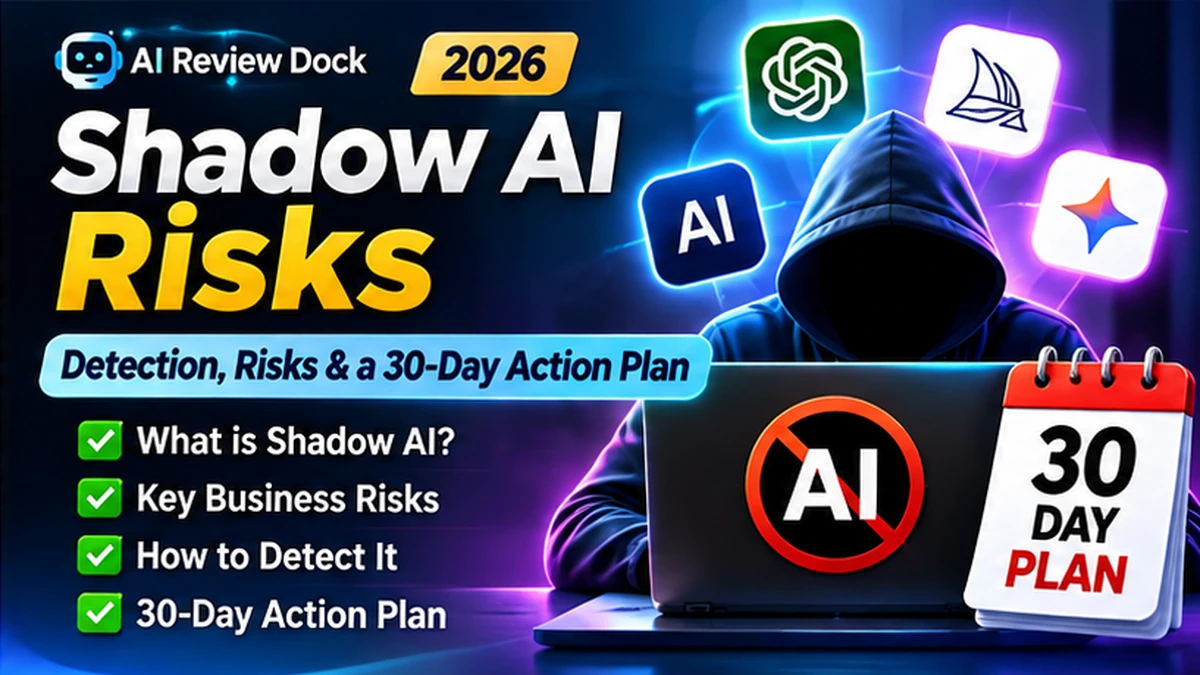
A 30-day shadow AI detection and response plan
Days 1–3: agree on the purpose. Appoint a responsible owner and state clearly that the goal is safer AI use, not a hunt for employees to blame. Announce a confidential reporting route and explain what information will be collected. Decide how suspected exposures will move into the existing incident response process.
Days 4–10: discover and classify. Survey departments, review approved business records and map connected services where authorized. Capture the use case alongside each tool. Note what data the tool handles and whether employees use business-managed or personal accounts. Prioritize the cases involving confidential information and action permissions.
Days 11–15: investigate high-consequence workflows. Speak with the people closest to the task. Check vendor terms, security controls, permissions and available alternatives. Do not automatically remove a tool during a live business process without planning how essential work will continue. Restrict sensitive access when warranted.
Days 16–22: approve alternatives and communicate rules. Offer sanctioned tools and short guidance on which tasks each supports. Provide a quick request form for other software. Explain what staff must never paste into an unapproved service and who must review outputs before they are sent to a customer.
Days 23–30: train and monitor. Run examples of good and bad usage, test the reporting channel and make the approved-tool register easy to find. Measure whether employees moved from unapproved to approved workflows and whether the review process resolves requests promptly. Set a follow-up review of remaining exceptions.
Therefore, this approach recognizes that a viable substitute is part of the solution. For instance, A formal ban with no workable alternative cancreate an incentive to hide usage.
Free shadow AI discovery questionnaire
Next, give each department or project owner the same short form. Moreover, it is designed to identify processes, not to collect private chat histories. Keep responses accessible only to people with a legitimate governance role.
- Which AI tools or AI-enabled features are used in your team?
- What specific business task does each one help complete?
- Who owns the account or integration?
- Is the account company-managed, vendor-managed or personal?
- Does the workflow include customer, employee, financial or confidential data?
- Can the service read or modify files, messages, calendars or business records?
- Does a person review the output before an external decision or message?
- What would happen if the tool stopped working tomorrow?
- Which existing approved tool could solve the same problem?
- Who should contact you for a short follow-up review?
In addition, ask for examples using synthetic or non-sensitive information. In addition, people should not submit the very confidential data you are trying to protect as evidence for the survey. If an incident is already suspected, route it through the dedicated reporting process rather than attaching confidential data to a general survey response.
What to do if sensitive data was already sent to an AI tool
First, first, preserve enough information to understand the event: which account and vendor were used, the approximate time, the kind of material entered, whether a file was uploaded and whether the service made any external action. However, do not circulate the original confidential prompt widely. Secure copies of logs, receipts or account records according to your organization’s incident procedures.
Next, next, limit additional exposure. For example, if an integration hasunnecessary access, revoke or narrow it through authorized administrators. Determine whether deletion requests or account configuration changes are available. Contact the vendor’s security or support channel when appropriate to understand retention, subprocessors and deletion. Do not assume that removing a browser tab erases vendor-side records.
Then, notify the privacy, security or legal owner responsible for determining whether any contractual or statutory reporting obligations apply. However, the correct notification deadline depends on what happened and which legal regime applies; a generic blog should not invent a universal clock. Maintain a decision log explaining the facts known at each stage and the actions taken.
Afterwards, after containment, fix the underlying work process. Was the approved tool too hard to access? Was a meeting assistant enabled by default? Did employees misunderstand which data class was restricted? Make a safer option available and revise training accordingly.
Balance detection with privacy and employee trust
Moreover, security teams may have tools that reveal application access patterns, but monitoring has consequences of its own. For example, be transparent about why monitoring is used, minimize the information gathered and set a defined retention period. Do not secretly collect employee conversations, personal account contents or unrelated web activity merely to build an AI inventory.
In addition, where a human review is necessary, separate the security issue from ordinary employee performance assessment. Furthermore, consider existing labor agreements, workplacenotices and data protection requirements. The aim is to identify unsafe processing and reduce business harm, not to read everything staff write.
The NCSC’s Shadow IT Guidance provides broader background on managing unsanctioned services. A useful shadow AI program adapts those principles while also handling output accuracy, model access, prompt storage and agent actions.
Shadow AI policy and approved alternatives
First, a concise policy should state that employees use approved tools for approved purposes, avoid sensitive data in unreviewed accounts, request new services using the defined process and report accidental sharing promptly. In addition, add a human-check requirement for consequential outputs and clear instructions for connected apps.
Furthermore, the policy should also say where approved tools live, how long a new tool request should take and what happens when the business cannot offer an immediate substitute. For example, staff might be allowed to experiment with synthetic documents in a sandbox while a vendor review is pending. Avoid policy language that appears to promise unrestricted security or zero error.
For a copy-ready employee policy and rollout guide, see our AI Tool Privacy Checklist alongside the upcoming policy template cluster. A privacy checklist cannot replace an incident response plan, but it gives a purchasing team useful vendor questions.
Metrics to track without gaming the result
For example, count discovered uses, proportion reviewed, unresolvedhigh-consequence uses, approved alternatives delivered and median time to complete a request. Moreover, track incidents and lessons learned in a restricted system. These metrics reveal progress without encouraging teams to hide activity to make a dashboard look better.
However, do not assume the number of discovered tools should always fall. For instance, A thorough discovery effort can initially reveal more use cases, even while the risk program becomes stronger. Better measures are the number of unsafe flows resolved and the percentage of employees who know which tools are permitted.
Finally, review the tool register after significant vendor changes, new integrations or changes in the kind of data used. For example, A quarterly review can be a practical starting point for a small team, with immediate attention to material incidents. The schedule should be risk-based rather than chosen solely for appearance.
FAQ: shadow AI in small businesses
Is using an AI tool at work automatically shadow AI?
No. The term refers to use outside the organization’s appropriate knowledge or approval process. An approved tool used within documented limits is not shadow AI just because it includes AI features.
Should companies block all personal AI accounts?
However, that decision depends on risk, policy and technical context. In addition, clear data restrictions, sanctioned alternatives, access controls and a workable request process are often more useful than relying on a broad ban alone.
Is shadow AI a data breach?
Nevertheless, not every unauthorized AI use is a personal-data breach. Assess the actual information, permissions, retention and exposure, and involve the appropriate legal or security owners before deciding.
What is the first step for a company with no AI policy?
First, assign an owner, identify the most common AI-supportedtasks and publish a simple restricted-data rule while the tool inventory and approvals are built.
How does shadow AI differ from a coding agent?
In addition, a coding agent is a kind of AI tool. It becomes shadowAI when used outside an appropriate approval and access process. Its ability to read files or run actions may increase the need for a careful review.
Conclusion: reduce shadow AI risks without stopping useful work
The strongest response to shadow AI risks is a combination of discovery, risk triage, approved alternatives, human review and a practical reporting channel. However, prohibitions by themselves do not reveal whatwork employees were trying to complete.
Therefore, start with a small inventory and the 30-day plan above. Therefore, make the safe route easy to use, keep data restrictions clear and treat mistakes as opportunities to improve a system. The aim is a workplace that can adopt useful AI without losing track of information, responsibility or customer trust.