
Pin2Profit AI review 2026: Pin2Profit AI turns an Amazon product link into a Pinterest affiliate campaign. It creates pins, copy, keywords, a landing page and a posting schedule. However, the front end is a one-time $27 purchase, butthe software runs on your own AI API keys. Therefore, the real cost depends on how much you publish. This distinction matters before buying. However, the sales page mentions it only in passing.
However, this is a research-based review. We have not had hands-on account access to Pin2Profit AI, so nothing below is presented as first-hand testing. What we can verify comes from two places: the vendor’s own sales page, and the performance data WarriorPlus publishes to approved affiliates — which is harder to spin than marketing copy.
Pin2Profit AI Review 2026: Quick Verdict
| Product | Pin2Profit AI |
| Vendor | dpapa |
| Released | 16 October 2026 |
| Front-end price | $27 one-time (listed; see pricing note below) |
| Full funnel range | $27 to $274 across 9 products |
| Guarantee | 30-day money-back, per the sales page |
| Also required | Amazon Associates account, Pinterest account, your own Google AI key |
| Best for | Amazon Associates who already understand Pinterest and want to stop building pins by hand |
| Not for | Anyone expecting income without traffic, or without an approved Associates account |
What the WarriorPlus data actually shows
In contrast, many reviews of launch products repeat the sales page. The more useful numbers sit in the affiliate dashboard, and they tell you how real buyers have behaved since release.
| Units sold | 1,000+ |
| Conversion rate | 8% |
| Average sale value | $53.52 |
| Visitor value | $4.11 |
| Refund rate | 4% |
Two things stand out. First, the 4% refund rate is low for this category — buyers are largely keeping it, which is a reasonable proxy for the software doing roughly what it says. Second, the average sale of $53.52 against a $27 front end means the typical buyer is taking at least one upgrade. Budget accordingly: the realistic entry cost is closer to $50 than $27.
Moreover, the product was also awarded WarriorPlus Deal of the Day twice, on 17 and 21 October 2026.
What Pin2Profit AI does
For a quick overview, the illustration below summarizes the product’s advertised Pinterest workflow. However, confirm current pricing and usage limits directly with the seller.
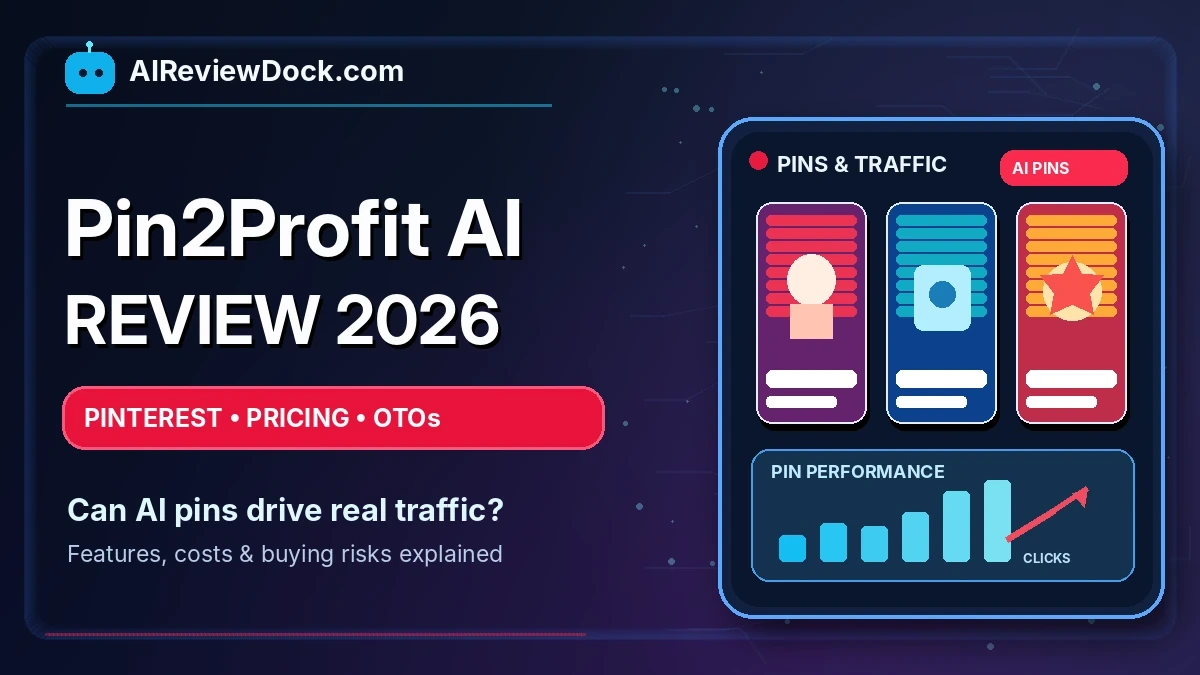
In fact, the premise is narrow and, to its credit, clearly defined. For example, Pinterest functions as a visual search enginewhere people look for things to buy; Amazon Associates pays commission when those people click through and purchase. Doing that work manually takes time. You must research products, design pins, write descriptions, find keywords, build pages and schedule posts. Pin2Profit AI automates the production step.
Next, the stated workflow is three steps: paste an Amazon product URL, click once to generate the campaign, then download the pins and a Pinterest-ready CSV to upload.
What the front end includes
- Amazon Product Analyzer — breaks a product down into benefits, audiences and angles
- AI Campaign Strategist — generates multiple campaign angles from one product
- AI pin image generation in several styles
- AI pin copywriting — headlines, descriptions, CTAs
- Pinterest keyword suggestions
- Affiliate landing page builder
- Pinterest account setup assistant, and up to 5 connected accounts
- 7-day scheduling at 5 pins per day
- One AI video pin per campaign
- Pinterest-format CSV export, analytics import, asset library
Check the current Pin2Profit AI price and terms →
Pin2Profit AI Review: Real API Running Costs
However, this is the part worth reading twice. Pin2Profit AI issold as “one-time payment, no subscription,” and for the software licence that is accurate. But the AI generation runs on your own API keys, billed by Google directly — not by the vendor. The sales page states the figures plainly, but buries them among the feature list:
- Pin images: roughly $0.067 each
- Video pins: roughly $0.80 per 8-second clip
- Text generation: Google free tier
Furthermore, the page also notes that on 20 October 2026, Google removed the free tier for its image generation models — so images that may have been free earlier in the launch are now billed per image.
Run the arithmetic against the tool’s own recommended schedule. The front end schedules 5 pins per day for 7 days. That is 35 pins per campaign cycle:
| 35 pin images at $0.067 | ≈ $2.35 |
| 1 video pin at $0.80 | ≈ $0.80 |
| Per campaign | ≈ $3.15 |
| 20 campaigns in a month | ≈ $63 |
As a result, a $27 one-time purchase can carry a running cost ofmore than twice the purchase price every month, once you use it at the volume the tool is designed for. However, that is not a hidden fee and not dishonest — you control the spend, and bringing your own key is arguably better than platform credits that expire. But “no subscription” and “no ongoing cost” are different claims, and only the first one is true. We cover how usage-based AI billing works in more detail in our guide to AI API pricing, tokens and caching costs.
Confirm current API pricing with Google before you buy, since these rates changed once during the launch window alone.
The upgrade funnel
Moreover, there are nine products in the funnel. Published pricing runs from $27 to $274, with upgrade tiers at $37, $47, $97 and $247.
The clearest upgrade case is Pro Suite (OTO 1), which per the sales page lifts the main front-end ceilings: unlimited video pins instead of one per campaign, up to 10 pins per day instead of 5, a 7-to-30-day auto-cycling schedule instead of a fixed 7 days, and 10 connected Pinterest accounts instead of 5.
However, whether that is worth paying for depends entirely on volume. If you are testing the concept with two or three campaigns, the front end’s limits will not constrain you. If you run twenty campaigns across several accounts, these limits matter. In addition, raising the video cap may also increase your API costs.
The same trade-off we set out in AI lifetime deals vs subscriptions applies here. Our advice is to try the front end before buying upgrades. Use it for a week and assess its limits. However, do not base purchases on countdown timers.
What else you need before this works
In contrast, the software produces campaign assets. However, it does not produce the two accounts the business model depends on, and neither is guaranteed.
- An approved Amazon Associates account. This is the thing that actually pays you. Amazon’s programme requires qualifying sales within a set window after signup or the account is closed — verify the current requirement for your country before building campaigns around it.
- A Pinterest account in good standing. The tool schedules 5 to 10 pins per day. In addition, the sales page describes safeguards such as spacing between pins and unique URL slugs. Those are sensible, but you carry the account risk, not the vendor.
- A Google AI key with billing enabled, per the costs above.
In addition, the vendor states plainly that Pin2Profit AI is not affiliated with, endorsed by or sponsored by Amazon or Pinterest, and that users are responsible for complying with both platforms’ policies plus FTC disclosure rules. If you are setting up tracking for campaigns like these, our affiliate link tracking checklist covers what to put in place first. That is worth taking seriously rather than skimming.
A note on the price you will actually see
However, at the time of writing, the sales page is internally inconsistent. For example, one section states that the price freeze has ended and the $27 launch special is gone; the pricing box further down still displays $27 against a $97 regular price, and the countdown references a deadline of 23 October 2026 that has already passed.
Consequently, this is common with launch funnels running evergreen timers, and it is not evidence of bad faith. But it does mean the price on the page is the only price that counts. Check what the checkout actually charges before you commit, and do not treat the “price goes up at midnight” framing as a reason to hurry.
Pros and cons
What works in its favour
- A 4% refund rate across 1,000+ sales is genuinely low for this category
- The scope is narrow and well defined — one input, one output, no vague promises of a “complete business”
- Bring-your-own-key means no expiring platform credits and no markup on generation
- CSV export and official Pinterest OAuth are practical touches, not just feature-list padding
- 30-day money-back guarantee stated on the page
What to weigh against it
- API costs can exceed the purchase price every month at normal usage
- Income depends on an Amazon Associates account you must qualify for and keep
- Nine-product funnel; average sale of $53.52 suggests most buyers spend roughly double the headline price
- Pinterest account risk sits with you
- Testimonials on the sales page are first-name-only and unverifiable
- Earnings examples are explicitly disclaimed as not typical
In addition, this Pin2Profit AI review looks at who already has the accounts and skills required to benefit. The tool can streamline campaigns, but it cannot supply an audience or guarantee affiliate commissions.
Who should consider it
It fits if you already have an approved Amazon Associates account, already understand that Pinterest traffic compounds slowly over months, and are currently building pins by hand in Canva. In that specific situation the tool removes real, repetitive production work, and $27 plus a few dollars of API spend is a reasonable test.
It does not fit if you are looking for a tool that generates income rather than assets. Pin2Profit AI makes campaigns faster to produce. It does not create demand, it does not get you approved by Amazon, and it does not guarantee that pins get impressions. The sales page’s “three commissions came in overnight” narrative is illustrative copy, not a projection — the vendor’s own earnings disclaimer says as much.
Check the current Pin2Profit AI price and terms →
Overall, this Pin2Profit AI review weighs the software’s convenience against usage-based API costs, account requirements and upgrade terms. Verify the checkout total before purchasing.
Verdict
First, judged as what it is — a campaign production tool for Pinterest affiliate marketers — Pin2Profit AI looks reasonably built and is priced low enough to test. The low refund rate and the twice-awarded Deal of the Day both suggest buyers are not walking away disappointed.
Judged as what the sales page implies — a “window” that pays ordinary people while they sleep — it is oversold, as almost every launch product in this category is.
Therefore, buy it if you are already doing this work manually andwant it done faster. Therefore, do not buy it expecting it to supply the parts of the business it cannot: an audience, an approved Associates account, and the months of consistent pinning that Pinterest traffic actually requires.
FAQ
Is Pin2Profit AI a subscription?
No. The licence is a one-time payment. However, image and video generation are billed by your own AI provider on usage, so there is an ongoing cost even though there is no subscription.
Do I need a Pinterest account already?
No. The front end includes an account setup assistant and supports up to 5 connected accounts. You do need to keep those accounts compliant with Pinterest’s policies yourself.
Do I need an Amazon Associates account?
Yes, and this is the dependency that matters most. The software builds campaigns; Amazon pays the commissions. Without an approved Associates account in good standing, there is nothing to earn.
How much will I actually spend per campaign?
On the front end’s default 7-day, 5-pins-per-day schedule, roughly $3 per campaign in API costs at the rates published on the sales page. Confirm current Google pricing yourself.
Is the $27 price still available?
The sales page contradicts itself on this. Check the live checkout price rather than relying on the countdown.
Is there a refund policy?
The page states a 30-day money-back guarantee. Refunds are handled by the vendor, not by WarriorPlus.
Affiliate disclosure: this page contains affiliate links. If you buy through them we may earn a commission at no extra cost to you. Commissions do not determine our conclusions — see our editorial policy. Pricing, limits and API rates were taken from the vendor’s sales page and the WarriorPlus affiliate dashboard on 18 November 2026 and can change without notice; always confirm current terms before purchasing.